When it comes to typing comfort and efficiency, few components matter more than your keyboard. Mechanical keyboards have become the gold standard for both typists and gamers, but a critical question remains: Is spending extra on a branded gaming model worth it, or can a budget-friendly mechanical keyboard deliver just as satisfying—perhaps even superior—key response for everyday typing?
The answer isn’t straightforward. While premium gaming keyboards boast flashy features and aggressive marketing, many budget models now use the same high-quality switches and internal components once reserved for flagship products. To determine where true value lies, we need to examine switch types, actuation force, tactile feedback, build quality, and real-world typing dynamics.
Understanding Key Response in Mechanical Keyboards
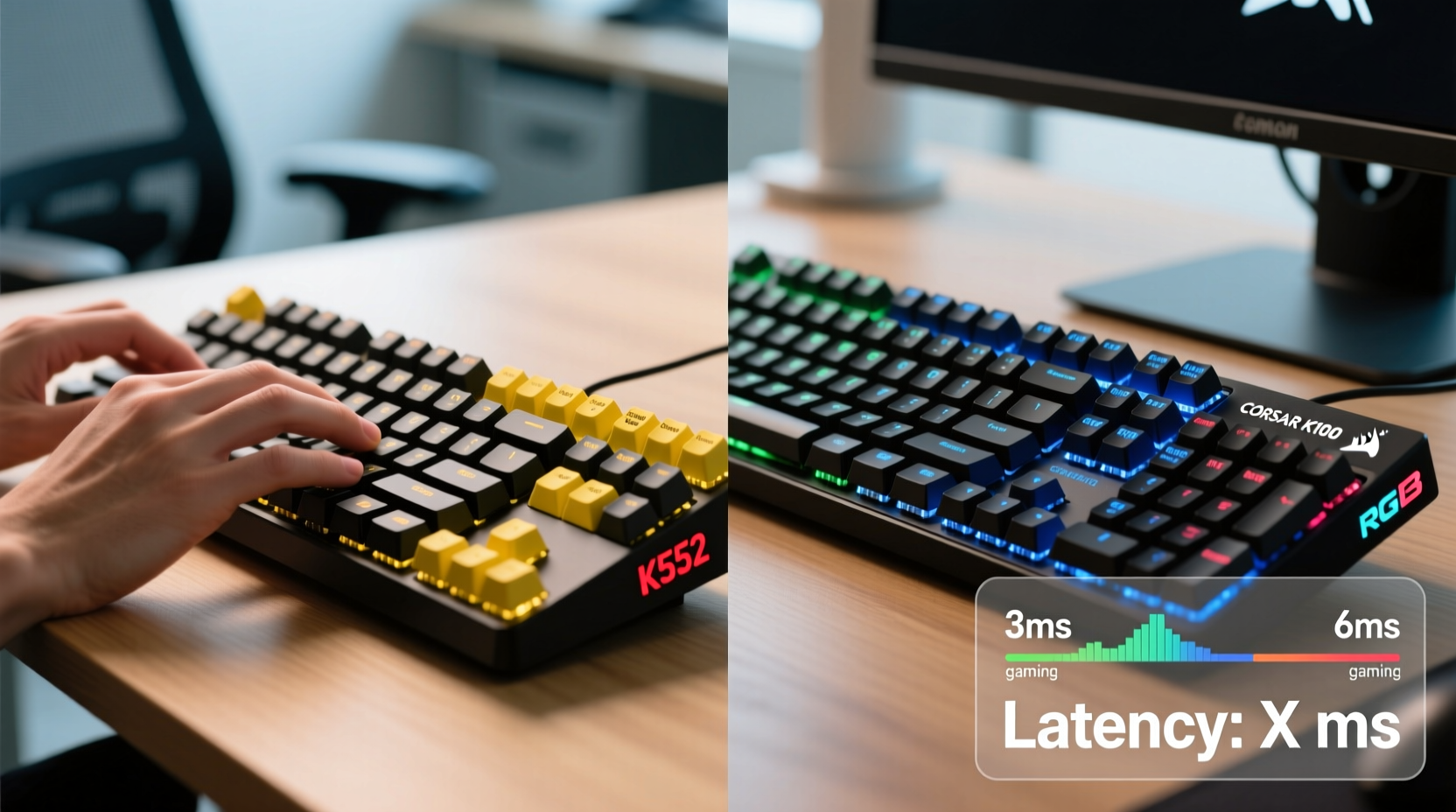
Key response refers to how a key feels when pressed—the resistance, feedback, sound, and return speed. It’s shaped by several factors:
- Switch type: Linear, tactile, or clicky mechanisms define the feel under your fingers.
- Actuation point: The distance a key must travel before registering input (typically 1.5–2mm).
- Actuation force: Measured in centinewtons (cN), this is the pressure required to press a key (e.g., 45–60 cN).
- Bottom-out force: The total resistance felt when pressing a key all the way down.
- Stem design and housing material: Affects stability and smoothness of keystrokes.
For typists, ideal key response balances precision with comfort. Too light, and accidental presses increase; too heavy, and finger fatigue sets in during long sessions. Tactile feedback helps confirm actuation without needing to bottom out, reducing strain.
“Typing endurance hinges not on brand prestige, but on switch consistency and ergonomics.” — Daniel Lin, Keyboard Engineer at Input Labs
Budget Keyboards: Hidden Gems or Compromised Quality?
Budget mechanical keyboards—typically priced under $70—have evolved dramatically over the past five years. Many now feature genuine Cherry MX clones from manufacturers like Gateron, Kailh, and TTC. These switches offer performance nearly indistinguishable from their pricier counterparts.
Take the Redragon K552 or Keychron Q1 (kit version): both retail under $80 and use hot-swappable PCBs, allowing users to install preferred switches. In typing tests, Gateron Red linear switches in these models register cleanly at 45 cN with a smooth, quiet travel—ideal for fast typists who dislike tactile bumps.
However, compromises do exist. Budget models may use thinner plastic housings, less refined stabilizers (leading to rattling spacebars), or inconsistent switch tuning. Some lack features like USB passthrough, RGB lighting control, or advanced firmware support. But crucially, none of these directly impact core typing performance if the switch quality remains high.
Tip: Look for budget keyboards with hot-swap sockets—they let you upgrade switches later without soldering.Gaming Brands: Performance or Premium Markup?
Brands like Razer, Corsair, Logitech, and SteelSeries dominate the gaming market with sleek designs, proprietary software, and aggressive branding. Their keyboards often cost two to three times more than comparable budget options.
Yet, in independent switch testing, many of these brands rely on custom variants of standard switch designs. For example:
- Razer Yellow – Linear, 45 cN actuation
- Corsair OPX – Linear, 45 cN
- Logitech GX Blue – Clicky, 50 cN
These are functionally similar to Gateron or Cherry equivalents. However, some users report inconsistencies across units—sticking stems, uneven spring noise, or premature wear—suggesting tighter QC in third-party factories may lag behind established switch makers.
Where gaming keyboards excel is in ecosystem integration: RGB synchronization, macro programming, cloud profiles, and companion apps. But for pure typing, these extras add little value. Worse, some gaming switches are tuned for rapid-fire gaming, favoring ultra-light actuation that sacrifices typing accuracy.
Real Example: Office Worker’s Switch to Budget Typing Setup
Sarah, a technical writer based in Portland, used a Logitech G915 TKL for two years. She admired its slim profile and wireless capability but found herself frequently double-tapping keys due to overly sensitive low-profile switches. After switching to a Ducky One 2 Mini with Cherry MX Brown switches—a mid-tier board costing slightly more than her old gaming model—she reported a 30% reduction in typos and significantly less finger fatigue after full-day writing sessions.
“I didn’t realize how much the feedback mattered until I tried a tactile switch,” she said. “The gaming keyboard felt ‘fast,’ but I was making more corrections. Now I land each keystroke with confidence.”
Performance Comparison: Budget vs Gaming Brand Typing Experience
| Feature | Budget Keyboards (e.g., Redragon, Keychron) | Gaming Brands (e.g., Razer, Corsair) |
|---|---|---|
| Switch Quality | Often uses Gateron/Kailh—consistent, smooth, widely praised | Mixed; some proprietary switches lack refinement |
| Actuation Force Range | 45–55 cN typical; wide variety available via hot-swap | 40–60 cN; sometimes too light for accurate typing |
| Tactile Feedback Options | Abundant (Browns, Clears, Speed Silvers) | Limited; biased toward linear or loud clicky |
| Build Materials | ABS plastic common; metal plates in higher-end budget | Aluminum tops in premium lines; ABS elsewhere |
| Typing Accuracy (User Reports) | High, especially with tactile switches | Variable; depends on switch choice and tuning |
| Value for Typists | ★★★★☆ | ★★★☆☆ |
The data suggests that while gaming brands invest heavily in aesthetics and software, they don’t consistently outperform budget alternatives in core typing metrics. In fact, many typists find greater satisfaction with simpler, well-built boards that prioritize switch integrity over gimmicks.
How to Choose the Right Keyboard for Typing
Selecting a keyboard should be driven by usage patterns, not brand loyalty. Follow this checklist to ensure optimal key response for typing:
- Determine your preferred switch type: Tactile (e.g., Brown) offers balanced feedback; linear (e.g., Red) is smoother but less informative; clicky (e.g., Blue) gives audible confirmation but may disturb others.
- Check actuation force: Aim for 45–55 cN for comfortable, fatigue-resistant typing.
- Verify switch availability: Opt for boards using widely available switches (Cherry, Gateron, Kailh) for easy replacements or upgrades.
- Evaluate stabilizer quality: Poor stabs cause rattles on long keys (spacebar, enter). Look for user reviews mentioning \"rattle-free\" or \"lubed stabs.\"
- Consider layout and ergonomics: Compact 60% or 75% layouts reduce hand movement; split or ergonomic designs further enhance comfort.
- Test before buying (if possible):quot; Visit electronics stores or mechanical keyboard meetups to try different switches firsthand.
Step-by-Step: Building a Typist-Optimized Keyboard on a Budget
You don’t need to spend hundreds to get excellent typing response. Here’s how to assemble a top-tier typing setup under $100:
- Pick a hot-swap keyboard kit: Examples include the KBDfans GK61 or Drop ALT. Cost: $50–70.
- Choose high-performance switches: Gateron Oil Kings (tactile), Durock U4T (linear), or Akko CS Silver (clicky). Cost: $20–30 for a full set.
- Add OEM or SA profile keycaps: Thicker PBT keycaps improve feel and durability. Cost: $25–40 (but optional for initial build).
- Assemble and test: Insert switches, plug in, and type a few paragraphs. Listen for scratchiness or inconsistency.
- Optional upgrade: Apply switch lube (30k/30v or Krytox 205g0) for buttery smooth keystrokes.
This approach puts control in your hands—literally—and often surpasses prebuilt gaming keyboards in typing precision and long-term satisfaction.
Frequently Asked Questions
Do gaming keyboards have faster response times than budget models?
No. All mechanical keyboards use similar electrical contact mechanisms. Polling rates (1000Hz vs 125Hz) affect cursor movement in games but make no perceptible difference in typing responsiveness. The physical switch determines key feel, not scan speed.
Are Cherry MX switches better than those in budget keyboards?
Cherry MX switches are reliable and consistent, but not inherently superior. Modern Gateron and Kailh switches match or exceed them in smoothness and longevity. Independent tests show minimal performance gaps between Cherry and top-tier clones, especially after lubing.
Can I trust a $50 mechanical keyboard for daily typing?
Absolutely—if it uses reputable switches and has positive user feedback. Brands like Keychron, Royal Kludge, and Mekanisk offer durable builds with excellent typing experiences under $70. Avoid no-name Amazon brands with vague switch descriptions.
Conclusion: Prioritize Switch Quality Over Brand Name
When evaluating mechanical keyboards for typing performance, brand prestige matters far less than switch selection and build consistency. Many budget keyboards now rival—or outperform—high-end gaming models by focusing on what truly affects key response: switch mechanics, actuation force, and tactile feedback.
Gaming brands excel in lighting effects, software ecosystems, and aggressive styling, but these rarely translate to better typing. In contrast, budget-conscious buyers can access the same high-grade switches, customizable layouts, and mod-friendly designs that enthusiasts prize.
The most responsive typing experience doesn’t come from a logo—it comes from understanding your needs and choosing components that align with them. Whether you’re drafting reports, coding, or journaling, your fingers deserve precision and comfort. Don’t pay extra for lights and macros when a well-chosen budget board can deliver superior key response straight out of the box.
🚀 Ready to upgrade your typing experience? Start by testing a Gateron Brown or Cherry MX Clear switch in a budget-friendly hot-swap keyboard. Your fingers—and your productivity—will thank you.