
There’s a certain magic to retro gaming—the pixelated graphics, chiptune soundtracks, and tactile joy of pressing physical buttons. For many, it’s not just about playing old games; it’s about reliving memories or discovering classics with authenticity. But when it comes to experiencing that magic today, a critical question arises: should you go for an original retro gaming console or use a PC-based emulator? Both options offer access to beloved titles from the NES, SNES, Genesis, and beyond, but they deliver vastly different experiences. The answer isn’t simply technical—it’s emotional, sensory, and deeply personal.
The Nostalgia Factor: Hardware as Heritage
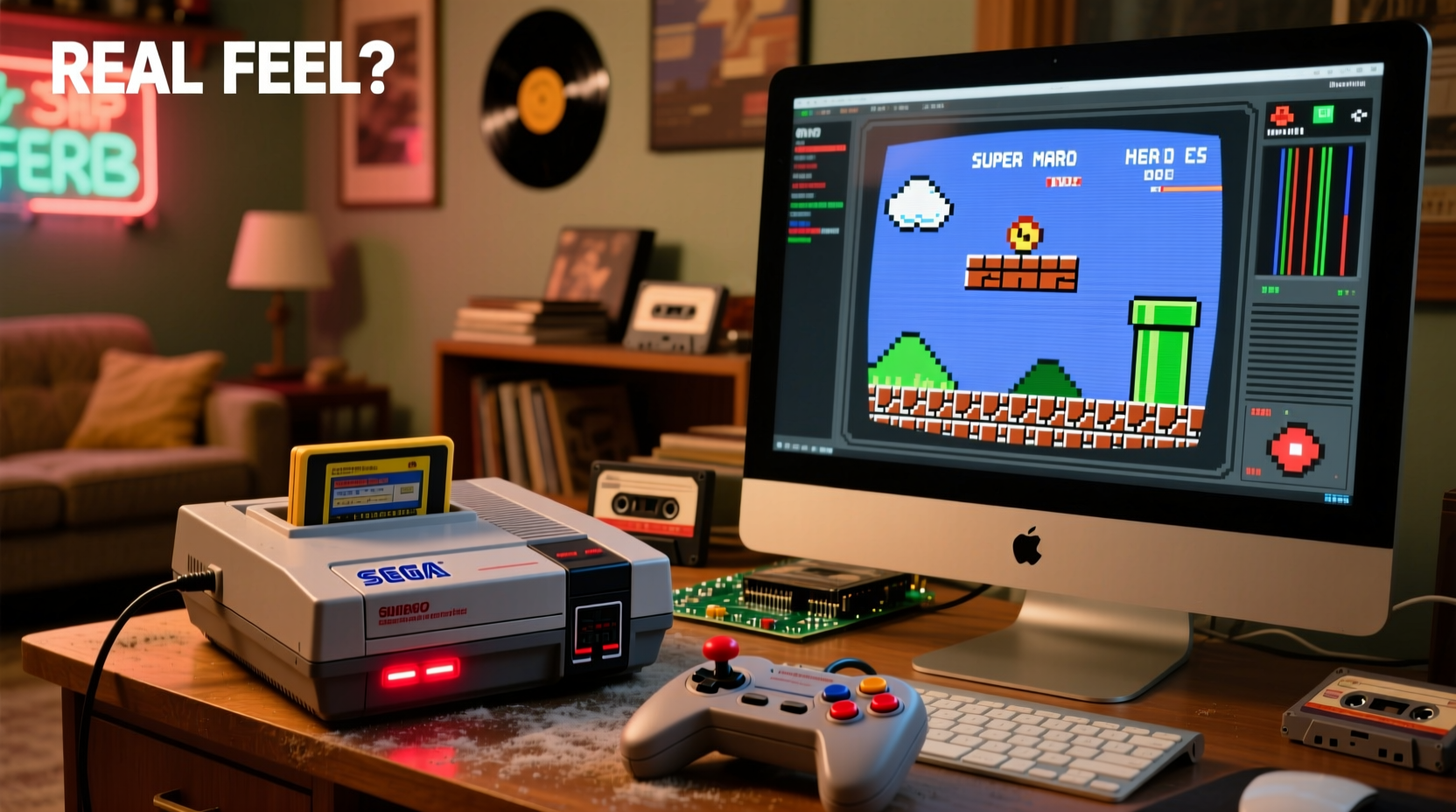
For purists, nothing replaces the original hardware. Owning a Super Nintendo or Sega Genesis connects players to gaming history in a tangible way. The weight of the controller, the startup screen, the hum of the cartridge slot—all contribute to a ritual that emulators can't fully replicate. There's a sense of preservation in using vintage consoles, akin to collecting vinyl records instead of streaming music. You're not just playing a game; you're engaging with a cultural artifact.
Physical media adds another layer of authenticity. Inserting a cartridge, hearing the click, and watching the screen flicker to life is part of the experience. Box art, instruction manuals, and even the smell of aged plastic evoke powerful memories. This multisensory engagement enhances emotional connection, making gameplay more immersive—even if the visuals are less polished by modern standards.
“Owning the original console is like holding a piece of gaming DNA. It’s not just about function—it’s about legacy.” — Marcus Reed, Vintage Game Curator at the National Gaming Archive
Emulation: Power, Flexibility, and Modern Convenience
On the other side of the spectrum lies PC emulation—a digital gateway to thousands of retro titles with features far beyond what original systems offered. Emulators like RetroArch, Project64, or ZSNES allow users to run ROMs from nearly every major console, often with enhancements such as save states, HD upscaling, rewind functionality, and customizable controls.
Modern PCs can upscale 8-bit sprites to 4K resolution using advanced shaders, eliminate lag, and support modern controllers like Xbox or DualShock pads. Some emulators even integrate online multiplayer for games originally limited to local co-op. For many, this convenience outweighs the loss of analog charm.
But there’s a trade-off. While emulators excel technically, they strip away much of the physicality that defines retro gaming. No cartridges mean no tactile feedback. No boot-up sequences mean missing those iconic startup jingles. And while software can mimic timing and audio latency, subtle differences in input response or audio sync can break immersion for seasoned players.
Tip: Use CRT shaders and disable fast-forward features in emulators to preserve authentic visual rhythm and gameplay pacing.Performance Comparison: Latency, Accuracy, and Visual Fidelity
When evaluating “real feel,” performance matters. True authenticity means replicating how a game played on its native hardware—not faster, smoother, or cleaner, but *exactly* as intended.
| Aspect | Retro Console | PC Emulator |
|---|---|---|
| Input Lag | Native (typically 2–3 frames) | Variable (can be lower or higher depending on setup) |
| Audio Fidelity | Original DAC chips, warm analog output | Digital reproduction; may lack warmth |
| Visual Output | CRT scanlines, color bleed, composite blur | Can simulate CRT effects via shaders |
| Save Flexibility | Limited to battery saves or no save (e.g., NES) | Unlimited save states, instant reloads |
| Game Load Time | Instant (cartridge-based) | Near-instant (ROM loading) |
| Maintenance Needs | High (cleaning contacts, potential repairs) | Minimal (software updates only) |
While high-end emulators like higan (now bsnes) aim for cycle-accurate emulation—matching the exact timing of CPU and PPU operations—most popular emulators prioritize usability over precision. Even minor deviations in frame timing or audio buffering can subtly alter gameplay rhythm, especially in fast-paced titles like Super Mario Bros. or Mega Man X.
Conversely, aging consoles face their own issues: dirty cartridge pins, failing capacitors, and worn controllers. A poorly maintained NES might require blowing into cartridges (a myth-ridden but persistent habit), introducing instability that wasn’t present when the system was new.
A Real Example: Sarah’s Journey Through Two Worlds
Sarah, a 34-year-old graphic designer, grew up playing her brother’s Sega Genesis. When she decided to revisit Sonic the Hedgehog 2, she bought a refurbished unit online. She loved the heft of the three-button controller and the crackle of the startup screen. But after two weeks, the cartridge stopped reading consistently. Frustrated, she turned to a PC emulator.
Using RetroArch with a CRT shader and a USB Genesis-style controller, she recreated much of the look and feel. She enabled save states so she could pause mid-level, something impossible on the original. Over time, she found herself completing the game faster and enjoying the flexibility—but admitted something felt “too clean.”
Eventually, she repaired her Genesis with help from a retro repair forum and now rotates between both setups: the console for weekend nostalgia sessions, the emulator for daily play. Her verdict? “The real feel lives in the original hardware, but real usability lives on PC.”
How to Choose: A Step-by-Step Decision Guide
Deciding between retro hardware and emulation depends on your priorities. Follow this timeline to make an informed choice:
- Define Your Goal: Are you seeking historical accuracy, casual enjoyment, or completionist challenges?
- Assess Budget: Original consoles in good condition can cost $100–$300+, plus accessories. Emulation requires only a PC and time investment.
- Test Emulation First: Try a legal ROM of a public-domain title (like homebrew games) to test compatibility and comfort.
- Source Hardware Responsibly: If going retro, buy from reputable refurbishers who replace capacitors and clean ports.
- Match Controllers: Use original or licensed controllers for emulators to preserve muscle memory and button layout.
- Optimize Display: Play retro consoles on CRT TVs for true visual fidelity, or use HDMI scalers with line-doubling. On PC, enable CRT shaders and disable V-Sync if aiming for authenticity.
- Evaluate Long-Term Use: Will you maintain aging electronics? Or prefer plug-and-play reliability?
Checklist: Building an Authentic Retro Experience
- ✅ Use original or reproduction cartridges where possible
- ✅ Clean cartridge and console connectors regularly with isopropyl alcohol
- ✅ Enable frame-perfect settings in emulators (e.g., accurate GPU timing)
- ✅ Disable save states if seeking a challenge-accurate run
- ✅ Use a CRT TV or CRT emulator shader for authentic visuals
- ✅ Match audio sample rates to original hardware specs
- ✅ Limit display scaling to preserve aspect ratio (e.g., 4:3)
- ✅ Avoid auto-core-updates that may reduce accuracy for speed
FAQ
Is emulation legal?
Emulators themselves are legal software. However, downloading copyrighted ROMs without owning the original game is a gray area and typically violates copyright law. The safest approach is to create your own ROM backups from games you physically own.
Can I get the same feel from a modern controller on PC?
It depends. Many modern controllers have better ergonomics but differ in button layout and travel distance. For example, the Xbox pad’s ABXY layout reverses the SNES controller’s configuration, which can disrupt instinctive play. Third-party controllers like the 8BitDo Pro 2 replicate classic layouts and can enhance authenticity.
Why does my emulator feel “off” even when settings are correct?
Even precise emulation can feel unnatural due to differences in display technology. Most PCs use LCDs with higher refresh rates and instant pixel response, unlike CRTs with natural motion blur and slight input delay. Adding artificial lag or using specialized monitors like the RetroTINK can help bridge the gap.
Final Verdict: Authenticity vs. Accessibility
The “real feel” of retro gaming hinges on what you value most. If emotional resonance, tactile feedback, and historical continuity matter, then original consoles win—despite their fragility and limitations. They offer an unfiltered window into the past, complete with imperfections that define the era.
But if accessibility, reliability, and enhanced features are priorities, PC emulation provides a superior practical experience. With careful configuration, it can come remarkably close to the original while offering tools that deepen engagement—like frame-by-frame analysis for speedrunning or mods that restore cut content.
Ultimately, the best approach may not be choosing one over the other, but embracing both. Use emulators for discovery, practice, and convenience. Reserve the original hardware for ceremonial playthroughs—moments when you want to disconnect from modern life and truly step back in time.
“The real feel isn’t just in the pixels or sound—it’s in the intention behind the play.” — Lena Tran, Digital Preservation Researcher
Take Action: Reconnect With Gaming History
Whether you dust off an old NES or configure your first emulator, take the time to appreciate the journey. Explore developer commentary, read box scans, or listen to chiptune remixes to deepen your connection. Retro gaming isn’t just about playing old games—it’s about understanding where interactive entertainment began.
💬 What’s your preferred way to play retro games? Share your setup, favorite emulator, or restoration story in the comments—let’s keep the legacy alive together.