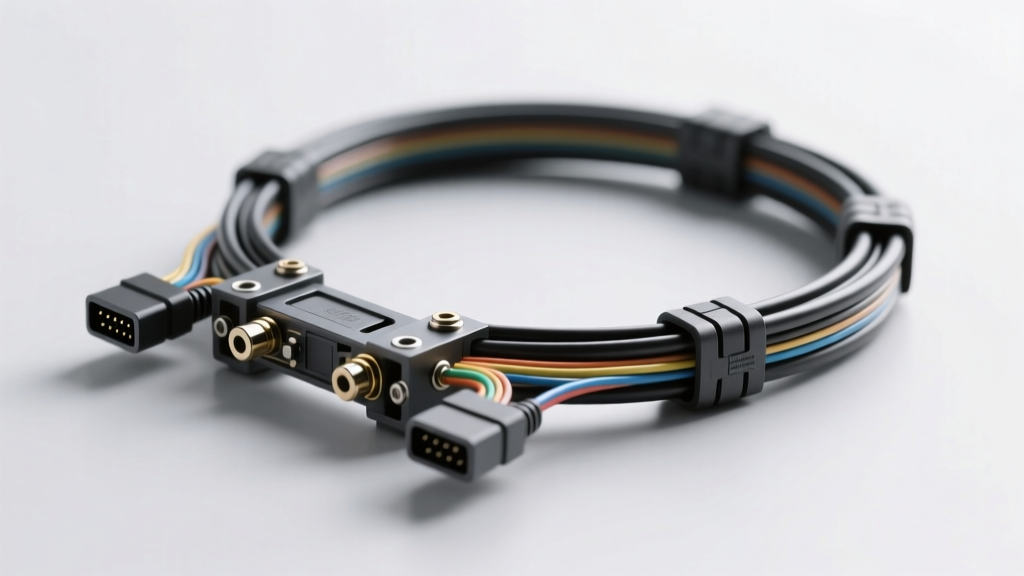
Types of Kia Diagnostic Tools
A Kia diagnostic tool is an essential device for identifying, analyzing, and resolving vehicle performance issues. With the increasing complexity of modern Kia vehicles, these tools have evolved to support everything from basic error code reading to advanced system reprogramming. Choosing the right diagnostic tool depends on your technical needs, usage frequency, and budget. Below is a comprehensive overview of the most common types of diagnostic tools available for Kia vehicles.
OBD-II Scanners
Basic yet effective tools designed to interface with the On-Board Diagnostics II (OBD-II) port found in all Kia vehicles manufactured after 1996. These scanners retrieve standardized trouble codes (DTCs), monitor engine performance, and clear error messages.
Advantages
- Affordable and widely available
- Easy to use for beginners
- Portable and compact design
- Great for quick diagnostics and DIY repairs
Limitations
- Limited to generic OBD-II codes
- No access to Kia-specific systems (e.g., transmission, ABS, SRS)
- Lacks advanced features like ECU programming
Best for: Home mechanics, quick checkups, basic engine diagnostics
OEM Diagnostic Tools
Original Equipment Manufacturer (OEM) tools, such as Kia's official Kia GDS (Global Diagnostic System), offer deep-level diagnostics and programming capabilities. These are the same tools used by authorized Kia dealerships.
Advantages
- Full access to all vehicle modules (engine, transmission, airbags, etc.)
- Supports key programming, ECU updates, and module initialization
- Real-time data streaming and bi-directional controls
- Manufacturer-certified accuracy and reliability
Limitations
- High purchase or rental cost
- Requires specialized training to operate
- Typically restricted to professional service centers
Best for: Kia dealerships, certified technicians, complex repairs and reprogramming
Bluetooth/Wireless Scanners
Compact wireless devices that connect to smartphones or tablets via Bluetooth or Wi-Fi. These scanners use dedicated apps (like Torque Pro or Dr. Car) to display live data, read codes, and perform basic resets.
Advantages
- Highly portable and convenient
- Real-time monitoring on mobile devices
- Cost-effective compared to full scanners
- Easy to share diagnostic reports
Limitations
- Limited to OBD-II compatible data
- App reliability varies by developer
- No support for advanced Kia-specific functions
Best for: On-the-go diagnostics, mobile mechanics, real-time performance tracking
Subscription-Based Tools
Advanced diagnostic platforms (e.g., Snap-on, Autel, or Launch) that offer cloud-based services with regular software updates, remote diagnostics, and telematics integration. Access is provided via a monthly or annual subscription.
Advantages
- Always up-to-date with the latest vehicle software
- Access to extensive vehicle databases and repair guides
- Remote diagnostics and multi-user access
- Supports firmware updates and complex system calibrations
Limitations
- Ongoing subscription costs can add up
- Requires stable internet connection
- May be overkill for simple repairs
Best for: Professional repair shops, fleet maintenance, high-volume diagnostic centers
Multifunctional Scanners
Also known as "professional-grade" or "Kia Pro" scanners, these all-in-one devices support diagnostics across multiple vehicle systems, including engine, transmission, ABS, air conditioning, infotainment, and more. They often include special service functions like battery registration, throttle adaptation, and DPF regeneration.
Advantages
- Comprehensive diagnostics for all major vehicle systems
- Supports advanced service functions (e.g., brake bleeding, steering angle reset)
- High compatibility with Kia and other brands
- Large color displays and intuitive interfaces
Limitations
- Higher upfront cost
- Larger and less portable than basic scanners
- Steeper learning curve for new users
Best for: Independent repair shops, mobile technicians, multi-brand service centers
| Tool Type | Diagnostic Depth | Price Range | Best For | Key Features |
|---|---|---|---|---|
| OBD-II Scanners | Basic | $20–$100 | DIY Users | Error code reading, basic live data |
| OEM Tools (e.g., Kia GDS) | Deep/Full System | $2,000+ | Dealerships | ECU programming, key coding, module reset |
| Bluetooth/Wireless Scanners | Basic to Moderate | $30–$150 | Mobile Diagnostics | App integration, real-time monitoring |
| Subscription-Based Tools | Advanced | $100–$300/month | Professional Shops | Cloud updates, telematics, remote access |
| Multifunctional Scanners | Comprehensive | $500–$1,500 | Repair Shops | Multi-system support, service functions |
Expert Tip: For Kia owners doing occasional maintenance, a mid-range OBD-II scanner with Kia-specific firmware (like the Autel MS908 series) offers the best balance of affordability and functionality. Always ensure compatibility with your Kia model year before purchasing.
Commercial Value of Kia Diagnostic Tools
In today's rapidly evolving automotive landscape, Kia OEM diagnostic tools have become indispensable assets for repair shops and service centers. As modern vehicles grow increasingly complex—with advanced electronics, integrated software systems, and networked control modules—relying on generic tools is no longer sufficient. Kia-specific diagnostic equipment offers precision, reliability, and access to proprietary data, translating into measurable business advantages. These tools not only enhance technical capabilities but also drive growth through improved efficiency, customer trust, and long-term profitability.
Increased Service Capacity
Expanded Repair Capabilities
Kia OEM diagnostic tools empower technicians to diagnose and repair a broader range of issues, including engine management, transmission control, hybrid systems, ADAS (Advanced Driver Assistance Systems), and infotainment modules. This expanded capability allows service centers to accept more complex jobs that competitors without proper tools may decline.
Reduced Downtime & Higher Throughput
With accurate real-time data from Kia’s factory-level software, technicians spend less time troubleshooting and more time performing repairs. This reduces vehicle turnaround time, enabling shops to service more vehicles per day without increasing labor costs—directly boosting revenue potential.
Quicker Problem Identification
Pinpoint Accuracy with Live Data Streaming
Kia diagnostic scanners provide live data from multiple ECUs (Electronic Control Units), allowing technicians to observe system behavior in real time. This eliminates guesswork and enables rapid identification of intermittent faults that might otherwise go undetected with basic code readers.
Automated Diagnostics and Guided Testing
Many Kia OEM tools include built-in diagnostic trees and step-by-step repair guidance tailored to specific models and symptoms. This streamlines the diagnostic process, especially for junior technicians, reducing human error and ensuring consistent service quality across the team.
Enhanced Customer Satisfaction
Profitability Increase
| Revenue Stream | Impact | Example Services Enabled by Kia Tools |
|---|---|---|
| Advanced Repairs | High | DPF regeneration, turbo actuator calibration, transmission adaptation |
| Software Updates | Medium-High | ECU firmware updates, recall campaigns, infotainment upgrades |
| Sensor Calibration | Medium | ADAS camera/lidar alignment, TPMS reset, steering angle sensor calibration |
| Preventive Maintenance | Medium | Health checks, battery diagnostics, brake wear analysis |
While the initial investment in Kia OEM diagnostic tools may seem significant, the return on investment (ROI) is substantial. These tools open doors to higher-margin services, reduce labor waste, and minimize costly misdiagnoses. Over time, increased service volume and reduced operational inefficiencies lead to sustained profit growth.
Staying Competitive in a Technologically Advanced Market
The automotive repair industry is undergoing a digital transformation. Independent shops that fail to adopt manufacturer-specific diagnostic solutions risk becoming obsolete as vehicle systems grow more sophisticated. Kia’s continuous innovation—such as in electric vehicles (EVs) like the EV6 and connected car technologies—demands up-to-date tools with regular software updates.
Future-Proofing Your Business
Investing in Kia OEM tools ensures compatibility with new models and emerging technologies. Regular software updates keep your shop current with the latest diagnostic protocols, security patches, and service procedures released by Kia Motors.
Brand-Certified Credibility
Using genuine Kia diagnostic equipment enhances your shop’s professional image. It signals to customers that you are equipped to deliver factory-standard service, potentially qualifying you for Kia-certified repair center status—an advantage that boosts marketing appeal and customer trust.
Important: Generic OBD-II scanners cannot access all Kia-specific modules or perform critical functions like ECU programming, ADAS calibration, or immobilizer setup. Relying on non-OEM tools may result in incomplete repairs, customer dissatisfaction, and liability risks. Always use Kia-approved diagnostic equipment for comprehensive and compliant service.
In conclusion, Kia diagnostic tools are not just technical instruments—they are strategic business assets. From increasing service capacity and diagnostic speed to improving customer satisfaction and profitability, these tools position repair shops for long-term success in an increasingly competitive and technology-driven market. By leveraging OEM-grade diagnostics, businesses can transform their operations into high-efficiency, customer-centric service hubs capable of thriving in the modern automotive era.
Specifications and Maintenance of Kia Diagnostic Tools
In the modern automotive service environment, Kia diagnostic tools are essential for accurate vehicle troubleshooting, system analysis, and repair validation. These tools combine advanced hardware and software to interface with a vehicle's onboard systems via the OBD-II or K-Line protocols. Proper specification, regular maintenance, and correct usage are critical to ensuring diagnostic accuracy, prolonging tool lifespan, and maintaining compatibility with evolving Kia vehicle technologies.
Key Insight: A well-maintained diagnostic tool not only ensures reliable performance but also reduces downtime in service bays and prevents misdiagnosis—critical for customer satisfaction and shop efficiency.
Software Requirements
The software is the intelligence behind Kia diagnostic tools, enabling communication with vehicle ECUs (Electronic Control Units), reading fault codes, performing actuator tests, and programming modules. Software must be regularly updated to remain compatible with new Kia models and revised vehicle systems.
- Use official Kia GDS (Global Diagnostic System) or authorized third-party software like Autel, Snap-on, or Foxwell that support Kia-specific protocols
- Ensure operating system compatibility (Windows 10/11 recommended) with sufficient .NET framework and driver support
- Regular software updates (at least quarterly) are essential to include new model coverage, updated repair procedures, and enhanced diagnostic functions
- Tools should support firmware updates over Wi-Fi or USB for seamless integration into workshop workflows
Best Practice: Schedule automatic update checks to avoid missing critical patches or security fixes.
Hardware Requirements
The physical components of a diagnostic tool must meet minimum performance standards to handle data-intensive tasks such as live sensor data streaming, ECU reprogramming, and bidirectional control operations.
- Processor: Minimum dual-core 1.8 GHz CPU; quad-core recommended for faster processing
- RAM: At least 4GB, with 8GB ideal for multitasking and handling large data logs
- Storage: 64GB minimum (SSD preferred) to store software, databases, and historical vehicle data
- Connectivity: USB 2.0/3.0 port for OBD-II cable; Bluetooth and Wi-Fi for wireless diagnostics
- Display: High-resolution touchscreen (7” or larger) for clear visualization of data graphs and menus
Note: Advanced scanners like the Kia GDS2 require dedicated tablets or ruggedized handheld devices with enhanced processing power.
Battery and Power Management
While most diagnostic tools draw power from the vehicle via the OBD-II port during active use, portable units rely on internal batteries for setup, navigation, and pre-scan functions.
- Check battery health monthly; replace if charge duration drops below 2 hours under normal use
- Avoid complete discharge—recharge when battery level reaches 20% to extend lifespan
- Use only manufacturer-approved chargers to prevent circuit damage
- Power-saving modes should be enabled when idle to conserve energy during long service jobs
- For tools used in remote locations, carry spare batteries or a portable power bank
Critical Reminder: Sudden power loss during ECU programming can brick vehicle modules—always ensure stable power supply.
Kia Diagnostic Tool Updates
Vehicle manufacturers continuously refine engine management, transmission, ADAS, and infotainment systems. Diagnostic tools must evolve in parallel to maintain diagnostic accuracy and functionality.
- Update tools at least every 3–6 months or whenever new Kia models are released
- Updates include new DTC (Diagnostic Trouble Code) definitions, service bulletins, and calibration files
- Some updates require internet connectivity; others may use USB drives provided by Kia or distributors
- Verify update success through version confirmation and test diagnostics on a known-good vehicle
Pro Tip: Subscribe to Kia’s technical service network or partner platforms to receive update notifications automatically.
Database Backup and Data Security
Diagnostic tools store extensive databases containing vehicle-specific parameters, repair procedures, wiring diagrams, and calibration data. Losing this data can halt operations and require time-consuming re-downloads.
- Perform full system backups monthly or after major software updates
- Store backups on encrypted external drives or cloud storage (if supported and secure)
- Label backups with date and software version for easy restoration
- Ensure online tools have automatic sync features to prevent data loss during connection drops
- Protect sensitive customer vehicle data in compliance with privacy regulations
Warning: Never skip backup before performing a major software upgrade—data corruption can occur.
Proper Storage and Handling
Diagnostic tools are precision instruments vulnerable to physical damage, dust, moisture, and temperature extremes.
- Always store tools in their original protective case or a padded, climate-controlled cabinet
- Keep away from liquids, extreme heat (above 40°C), and direct sunlight
- Clean screens with microfiber cloths and approved screen cleaners—never use alcohol-based solutions
- Coil cables neatly and avoid sharp bends to prevent wire breakage
- Store OBD-II connectors in dust-proof caps when not in use
Maintenance Tip: Inspect tools weekly for signs of wear, cracked screens, or loose ports.
Technical Support and Warranty Considerations
Even with proper care, diagnostic tools may encounter software glitches, hardware failures, or compatibility issues. Access to reliable support ensures minimal downtime.
- Warranty Coverage: Most OEM and premium aftermarket tools offer 1–3 year warranties covering defects and manufacturing faults
- Technical Support: Choose brands that provide 24/7 phone, email, or live chat support with Kia-specific expertise
- Firmware Recovery: Ensure the manufacturer offers recovery options in case of failed updates
- Loaner Programs: Some suppliers provide temporary replacement tools during repairs
- Service Centers: Verify availability of authorized service locations for hardware repairs
Smart Strategy: Register your tool immediately after purchase to activate warranty and receive support alerts.
| Maintenance Task | Frequency | Tools/Software Involved | Expected Outcome |
|---|---|---|---|
| Software Update | Every 3–6 months | GDS, OEM Platform, or Third-Party Suite | Full model coverage and latest DTC support |
| Battery Check | Monthly | Diagnostic Tool Interface | Prevent unexpected shutdowns |
| Database Backup | Monthly or pre-update | External Drive or Cloud | Data recovery readiness |
| Physical Inspection | Weekly | Visual & Functional Test | Early detection of damage or wear |
| Deep Cleaning | Quarterly | Microfiber, Compressed Air | Optimal screen visibility and connectivity |
Professional Recommendation: Invest in a comprehensive maintenance plan for your diagnostic equipment. Treat it like any high-value asset—regular updates, proper storage, and proactive support engagement will maximize ROI and ensure consistent diagnostic reliability across all Kia models in your service bay.
How To Choose The Right Kia Diagnostic Tool: A Complete Buyer's Guide
Selecting the ideal Kia diagnostic tool is essential for accurate vehicle troubleshooting, efficient repairs, and long-term maintenance. Whether you're a professional technician or a DIY enthusiast, the right scanner can save time, reduce errors, and improve vehicle performance. This comprehensive guide covers all key factors—from compatibility and system coverage to budget and usability—so you can make an informed decision tailored to your needs.
Important Note: Using an incompatible or low-quality diagnostic tool can lead to incorrect fault codes, missed issues, or even damage to your vehicle’s electronic control units (ECUs). Always verify compatibility and functionality before purchase.
1. Vehicle Compatibility: Ensuring Full OBD-II and Manufacturer Support
While most modern vehicles use the OBD-II standard, not all diagnostic tools are equally compatible with Kia's specific protocols. Kia vehicles often use proprietary communication systems beyond basic OBD-II, especially in models from 2010 onward.
- Check Model Year Support: Confirm the scanner supports your specific Kia model year (e.g., 2015+ models may require enhanced software).
- Verify Communication Protocols: Kia uses various protocols including CAN, ISO9141, and KWP2000. Ensure the tool supports all relevant standards.
- Brand-Specific Features: Some scanners are designed specifically for Asian or Korean vehicles and offer deeper integration with Kia’s ECU systems.
- Supported Models: Look for tools that explicitly list compatibility with popular Kia models such as Sportage, Sorento, Telluride, Optima, and Soul.
Pro Tip: Use your vehicle identification number (VIN) when checking compatibility. Many reputable manufacturers allow VIN-based validation to ensure full system support.
2. System Coverage: Full-System Diagnostics vs. Basic Code Reading
A high-quality Kia diagnostic tool should go beyond reading check engine lights. Comprehensive coverage ensures access to all critical vehicle systems for thorough diagnostics.
- Engine & Transmission: Real-time data, live sensor readings, and advanced diagnostics for powertrain control modules (PCM).
- ABS & Brake Systems: Read and clear brake-related codes, monitor wheel speed sensors, and assist with brake bleeding procedures.
- SRS/Airbag Module: Diagnose airbag deployment readiness, seat belt pretensioners, and crash sensors.
- Body Control Module (BCM): Access lighting systems, door locks, windows, and keyless entry functions.
- Climate Control & HVAC: Monitor temperature sensors, blower motor operation, and refrigerant pressure.
- Advanced Modules: Top-tier tools support TPMS (tire pressure), ADAS (driver assistance), and infotainment systems.
For workshops or advanced users, consider tools that offer bi-directional control—allowing you to activate components like fuel pumps or solenoids directly through the scanner.
3. Service Functions: Beyond Diagnostics – Practical Repair Support
The best diagnostic tools double as service assistants, enabling common maintenance tasks without needing additional equipment.
- Oil Light Reset: Automatically reset the maintenance reminder after oil changes.
- Battery Registration/Calibration: Essential after replacing the battery, especially in newer Kias with smart charging systems.
- Brake Pad Reset & Bleeding Assistance: Reset brake wear sensors and guide ABS-based bleeding sequences.
- Throttle Body Alignment: Relearn idle settings after cleaning or replacement.
- EPB (Electronic Parking Brake) Service: Retract or activate rear calipers during brake jobs.
- IMMO & Key Programming: Advanced tools support immobilizer system resets and key fob pairing (often requires subscription).
These features streamline service operations, reduce labor time, and enhance customer satisfaction in professional settings.
4. Software Updates and Technical Support
Kia regularly updates its vehicle software and diagnostic protocols. A scanner that cannot keep pace will quickly become obsolete.
- Free vs. Paid Updates: Some tools offer lifetime free updates; others charge annual fees. Evaluate long-term costs.
- Update Frequency: Check how often the manufacturer releases updates—monthly or quarterly is ideal.
- Wi-Fi/Cloud Connectivity: Modern scanners with wireless update capabilities save time and effort.
- Customer Support: Look for brands with responsive technical support, online resources, and active user communities.
- Firmware Stability: Read reviews to ensure updates don’t introduce bugs or break existing functions.
Expert Advice: Avoid tools with discontinued update paths. Even a powerful scanner loses value if it can't support future Kia models or new diagnostic features.
5. User Interface and Ease of Use
An intuitive interface reduces learning curves and increases efficiency, especially for multi-vehicle shops or occasional users.
- Screen Quality: High-resolution color displays with touch capability improve navigation and readability.
- Menu Structure: Well-organized menus with logical flow help locate functions quickly.
- Language Options: Multilingual support is beneficial in diverse work environments.
- Guided Diagnostics: Step-by-step troubleshooting wizards help less experienced users identify root causes.
- Mobile App Integration: Some tools sync with smartphones or tablets for remote viewing and reporting.
For beginners, prioritize tools with clear icons, contextual help, and tutorial videos. Professionals may prefer customizable dashboards and quick-access buttons.
6. Budget Considerations: Balancing Cost and Capability
Kia diagnostic tools range from under $50 to over $3,000. Choosing the right one depends on your usage level and required features.
| Budget Range | Best For | Key Features | Recommended Use Cases |
|---|---|---|---|
| $50 – $150 | DIYers, basic code reading | OBD-II fault code reading, basic live data | Home mechanics, occasional troubleshooting |
| $150 – $400 | Enthusiasts, small garages | Full system coverage, service functions, firmware updates | Regular maintenance, minor repairs |
| $400 – $1,000 | Professional technicians | Bi-directional controls, advanced diagnostics, cloud updates | Full-service repair shops, fleet maintenance |
| $1,000+ | Dealerships, specialists | OEM-level access, programming, ADAS calibration | Kia dealership-level diagnostics and coding |
Invest in the highest-tier tool your budget allows, focusing on long-term value rather than upfront cost. A mid-range tool with excellent update support often outperforms a cheap high-end model with limited updates.
Smart Buying Tip: Look for bundle deals that include carrying cases, OBD-II extension cables, SD cards, or access to premium software features. These can significantly increase value.
Final Recommendations
- For DIY Users: Consider tools like Autel MaxiCOM MK808 or BlueDriver Pro for reliable Kia support and user-friendly apps.
- For Independent Mechanics: Launch X431 PROS or Grossen GT100 offer strong Kia coverage and service functions at competitive prices.
- For Professional Shops: Invest in Helm Diagnostics or Kia GDS (Dealer Software) via compatible tablets for OEM-level access.
- Always check return policies and warranty terms before purchasing.
- Verify if the tool requires a subscription for updates or advanced features.
Choosing the right Kia diagnostic tool is a balance between compatibility, functionality, usability, and cost. By prioritizing your specific needs—whether it's basic code reading or full programming capabilities—you can select a tool that delivers reliable performance and grows with your expertise. Remember, the best scanner is not always the most expensive one, but the one that consistently helps you diagnose accurately and repair efficiently.
Frequently Asked Questions About Kia Diagnostic Tools
Q1: What are Kia scanners?Kia scanners are specialized diagnostic tools designed to communicate with Kia vehicles’ onboard computer systems. These devices read and interpret diagnostic trouble codes (DTCs) generated by the vehicle when a malfunction is detected in components such as the engine, transmission, ABS, airbags, or emissions systems.
Modern Kia scanners go beyond simple code reading—they can perform advanced functions like:
- Live data streaming (e.g., engine RPM, coolant temperature, oxygen sensor readings)
- Actuator testing (e.g., turning on the cooling fan or fuel pump)
- Resetting maintenance intervals and service lights
- Reprogramming or coding electronic control units (ECUs)
Professional-grade tools like the Kia GDS (Global Diagnostic System) are used by dealerships and certified technicians, while consumer-level tools like BlueDriver or Autel MaxiCOM offer compatible functionality for DIY users.
Q2: What factors affect the accuracy of a Kia diagnostic tool?The accuracy of a Kia diagnostic tool depends on several interrelated factors that influence how effectively it can interpret vehicle data:
- Software Relevance: Outdated software may not recognize new DTCs or support recent Kia models. Regular updates ensure compatibility with evolving vehicle firmware and protocols.
- Hardware Condition: Damaged cables, poor connectors, or aging internal components can lead to communication errors or intermittent readings.
- Vehicle Compatibility: Not all tools support every Kia model year or module. Some older or niche models may require specific firmware versions or adapters.
- Environmental Interference: Electromagnetic interference, extreme temperatures, or unstable power sources (e.g., weak battery) can disrupt communication between the scanner and the vehicle.
- User Technique: Incorrect connection, failure to turn the ignition on, or misinterpreting scan results can also compromise diagnostic accuracy.
For reliable results, always use a well-maintained tool with up-to-date software in a stable environment, and follow proper diagnostic procedures.
Q3: How do Kia diagnostic tools operate?Kia diagnostic tools function by connecting to the vehicle’s OBD-II (On-Board Diagnostics II) port, typically located under the dashboard near the steering column. Once connected, the tool communicates with the car’s network of electronic control units (ECUs) using standardized protocols such as CAN (Controller Area Network).
The operation process includes:
- Connection: Plug the scanner into the OBD-II port and power on the ignition (engine may or may not need to be running).
- Vehicle Identification: The tool reads the VIN (Vehicle Identification Number) to determine the correct communication settings and supported systems.
- Data Retrieval: It scans all accessible modules (engine, transmission, ABS, SRS, etc.) for stored or pending fault codes.
- Analysis: The tool displays codes with descriptions and may provide repair recommendations based on built-in databases.
- Advanced Functions: Higher-end tools allow bidirectional control, enabling tests like injector pulse checks, EGR valve operation, or sensor calibration.
After diagnosis, users can clear codes, monitor live data, or perform system resets—provided the underlying issue has been resolved.
Q4: Are Kia scanners universal?Most modern Kia diagnostic tools are OBD-II compliant, which makes them **universally compatible** with all vehicles sold in the U.S. and many other regions from 1996 onward—including Kia models. However, there are important limitations:
| Compatibility Type | Description | Examples |
|---|---|---|
| Basic OBD-II Tools | Read generic powertrain codes (P0xxx) on any vehicle. | Entry-level code readers from AutoZone or Amazon |
| Kia-Specific Tools | Access manufacturer-specific codes (P1xxx, U1xxx), advanced modules, and coding features. | Kia GDS, Snap-on MODIS with Kia license |
| Older Kia Models | Pre-1996 models may use proprietary systems not supported by standard OBD-II scanners. | Kia Sephia (early 90s), older Pride models |
| Aftermarket Tools | Some multi-brand scanners offer partial Kia support but may lack full functionality. | Fixd, Ancel, Foxwell NT series |
In short: while basic scanning works universally, full diagnostic capability—especially for resetting specialized systems or programming—requires a Kia-compatible or Kia-specific tool.
Q5: How frequently should Kia diagnostic tools be updated?The update frequency for Kia diagnostic tools varies depending on the tool type, usage, and technological changes:
- Dealership Tools (e.g., Kia GDS): Should be updated monthly or whenever Kia releases new service bulletins or software patches. These updates often include new DTC definitions, recalibration procedures, and support for newly launched models.
- Professional Scan Tools (e.g., Autel, Snap-on): Manufacturers typically release updates quarterly. Technicians should install them before servicing newer model-year vehicles.
- Consumer-Grade Devices: Many automatically prompt users when updates are available—usually every 3–6 months. Keeping these current ensures accurate diagnostics and avoids compatibility issues.
Ignoring updates can result in:
- Inability to diagnose newer Kia models
- Missing critical repair information
- Incorrect or incomplete code interpretations
- Failure to perform required ECU reprogramming after part replacements
Best Practice: Check for software updates at least once every three months, or before working on a new or unfamiliar Kia model. Always back up your device and ensure a stable internet connection during updates.