A floating TV mount creates a sleek, modern focal point in any room. But the promise of minimalist elegance often unravels when power, HDMI, Ethernet, and audio cables dangle down the wall like an afterthought. Exposed cords not only disrupt visual harmony but can also pose tripping hazards and collect dust. The good news: hiding them doesn’t require expensive renovations or professional electricians. With smart planning and accessible materials, you can conceal your cords neatly—and affordably—while preserving the clean look your floating setup deserves.
Why Cord Management Matters Beyond Aesthetics
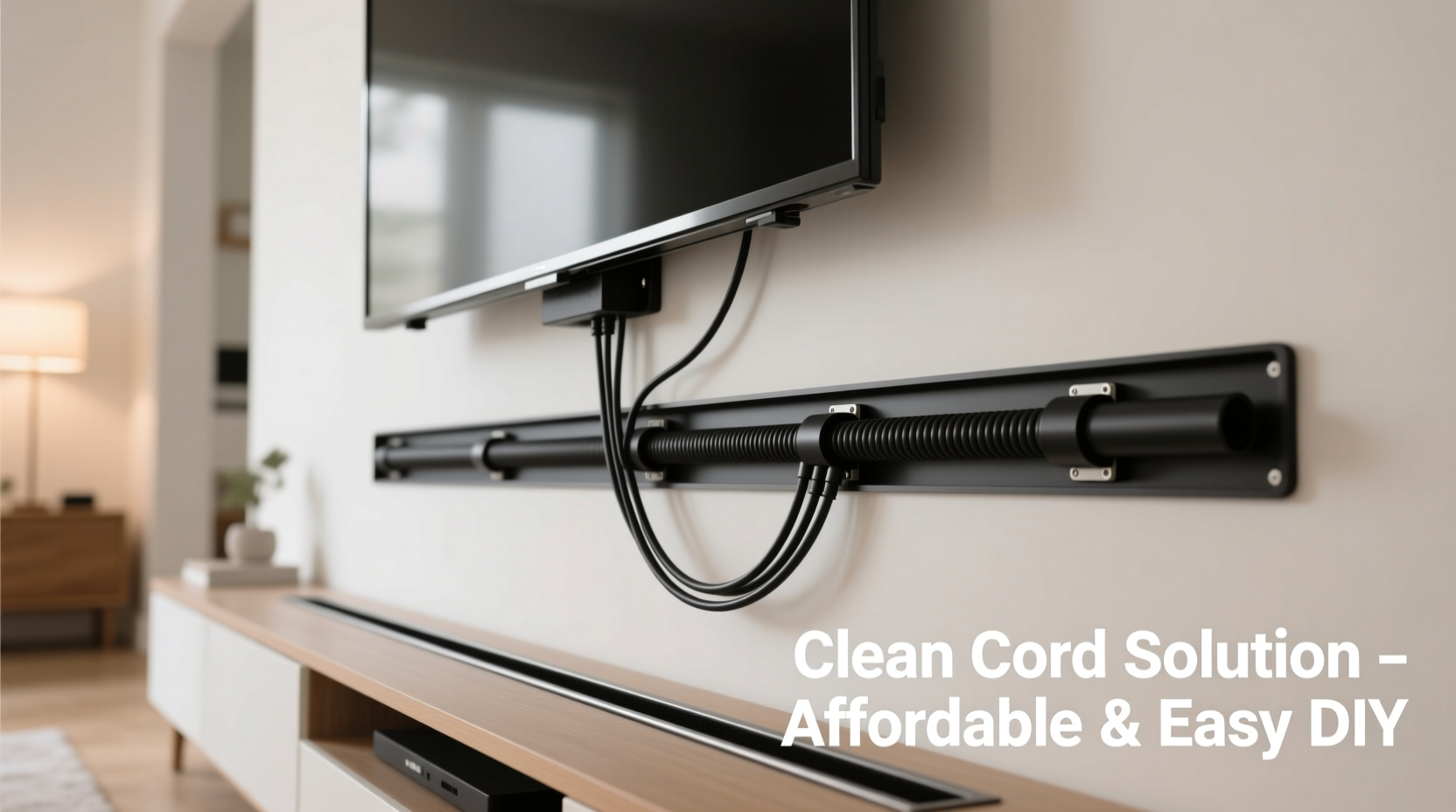
Clean cord management isn't just about appearances—it's about functionality, safety, and long-term satisfaction with your home entertainment system. Cluttered wires can:
- Deteriorate over time due to exposure and friction against sharp edges
- Create tripping risks, especially in high-traffic areas
- Make future upgrades or troubleshooting more difficult
- Attract dust and pests, which can degrade insulation
Properly hidden cords contribute to a safer, more organized environment. They also make it easier to swap out devices or reposition furniture without having to untangle a jungle of cables behind your TV.
Tip: Label each cable before concealing it—use small adhesive tags or colored tape. This saves hours during future maintenance.Step-by-Step Guide to Hiding Cords on a Floating Mount
The key to success lies in preparation and choosing the right method for your wall type, budget, and technical needs. Follow this timeline to achieve a clean result.
- Plan Your Setup (30–60 minutes)
Measure distances between your TV, outlets, and media sources. Identify where power and signal cables will originate. Sketch a rough path they’ll take from floor or outlet to the back of the TV. - Gather Materials (Budget: $15–$50)
Depending on your chosen method, collect flat adhesive raceways, in-wall cable kits, paintable conduit, Velcro straps, or baseboard clips. Avoid overbuying—measure twice. - Test Fit All Cables
Before securing anything permanently, run all cables through your intended path. Ensure HDMI cables aren’t bent too tightly and that power cords reach comfortably. - Install Concealment System
Follow manufacturer instructions carefully. Whether using surface-mounted channels or in-wall solutions, precision ensures a seamless finish. - Secure and Tidy
Use zip ties or Velcro to bundle cables neatly within the channel. Leave slight slack near the TV to allow for tilt adjustments. - Final Inspection
Check that no cables are pinched, all connections are secure, and the overall appearance matches your expectations.
Budget-Friendly Methods Compared
Not every solution fits every home. Here’s a comparison of five practical approaches, ranked by cost, difficulty, and visibility.
| Method | Avg. Cost | Difficulty | Visibility | Best For |
|---|---|---|---|---|
| Adhesive Cable Raceway | $10–$20 | Easy | Low (paintable) | Drywall, renters |
| Baseboard Clip System | $15 | Easy | Medium | Hardwood floors, perimeter walls |
| In-Wall Cable Kit | $40–$60 | Moderate | Nearly invisible | Stud walls, homeowners |
| Cord Cover Molding | $25–$35 | Moderate | Low (matches trim) | Finished rooms with crown/base molding |
| Floor-to-Ceiling Conduit | $50+ | Hard | Low | Concrete walls, lofts |
For most people, adhesive raceways or baseboard clips offer the best balance of affordability and effectiveness. In-wall kits are ideal if you’re renovating or comfortable cutting into drywall.
Real Example: Sarah’s Living Room Transformation
Sarah installed a 65-inch OLED on a full-motion floating mount above her fireplace. Initially proud of the installation, she quickly grew frustrated by the three visible cords snaking down the beige wall. She considered hiring an electrician ($300+ estimate) but instead opted for a DIY in-wall kit.
Using a stud finder and fish tape, she routed a slim power extension cord and two flat HDMI cables through the wall from a nearby outlet. She patched the entry and exit holes with spackle, sanded, and repainted. Total cost: $47. Time invested: 3 hours. Result: a theater-like setup with zero visible cords. “It looks like the TV is floating on air,” she said. “I wish I’d done it sooner.”
“Most homeowners underestimate how much difference proper cable management makes. It’s not just about hiding wires—it’s about completing the design.” — Marcus Tran, AV Installation Specialist with 12 years of experience
Do’s and Don’ts of Cord Concealment
Avoid common pitfalls that compromise safety or aesthetics. Use this checklist as a guide.
| Do’s | Don’ts |
|---|---|
| Use flat or low-profile cables when possible | Over-tighten zip ties, which can damage insulation |
| Leave slack behind the TV for movement | Run electrical and data cables in the same conduit without separation |
| Match paintable raceways to your wall color | Ignore local building codes when modifying walls |
| Anchor raceways to studs when possible | Hide damaged or frayed cables inside walls |
| Label each end of every cable | Assume all walls are safe to drill into (check for pipes/wiring) |
Expert Tips for a Flawless Finish
Even the best materials fall short without attention to detail. These professional tricks elevate your project from functional to flawless.
- Paint raceways before installing. Apply two coats of matching wall paint to adhesive channels. Once cured, they virtually disappear.
- Bundle cables with Velcro, not zip ties. Reusable straps allow future access without cutting and replacing.
- Route power and signal cables separately. Running HDMI and power lines together can cause interference. Maintain at least 6 inches of separation if running parallel.
- Use a power bridge kit. Devices like the Sanus PowerBridge let you feed power through the mount itself, reducing external cords.
- Consider a wireless HDMI transmitter. For secondary devices, eliminate physical HDMI runs entirely with a $60 wireless kit.
FAQ: Common Questions Answered
Can I hide cords without drilling into the wall?
Yes. Adhesive raceways, baseboard clips, and cord covers attach without tools. They’re ideal for renters or anyone avoiding permanent modifications. While slightly more visible than in-wall options, they remain discreet when painted or positioned along natural wall lines.
Is it safe to run cables inside walls?
Only if you use cables rated for in-wall installation (CL2 or CL3). Standard HDMI or power cords are not fire-safe for concealed use. Always check local codes—some regions require conduit or professional inspection for in-wall runs.
What if my outlet is below the TV but my media console is across the room?
Run HDMI through the wall or along baseboards to the console. Use a power extender cord behind the TV so only one cable needs to be hidden vertically. Alternatively, use a powered HDMI extender that transmits signal over longer distances with less bulk.
Final Checklist Before You Begin
Ensure success by confirming these steps ahead of time:
- ✅ Measure distance from outlet to TV mounting location
- ✅ Confirm wall type (drywall, plaster, concrete)
- ✅ Locate studs and avoid existing wiring/pipes
- ✅ Purchase in-wall-rated cables if going inside
- ✅ Buy matching paint for raceways (if applicable)
- ✅ Label all cables before concealment
- ✅ Test all connections post-installation
Conclusion: Elevate Your Space with Smart Simplicity
A floating TV should inspire awe, not distraction. By investing a few hours and under $50, you can transform a cluttered setup into a polished centerpiece. The techniques outlined here—adhesive channels, in-wall routing, baseboard integration—are proven, accessible, and effective. Whether you're a renter seeking non-invasive solutions or a homeowner pursuing a built-in look, clean cord management is within reach.
💬 Ready to declutter your living room? Pick one method from this guide and implement it this weekend. Share your before-and-after story in the comments—your solution might inspire someone else to take the plunge.