In recent years, gaming chairs have exploded in popularity—not just among gamers, but also remote workers, streamers, and students. With their bold colors, aggressive styling, and racing-inspired design, they look like the ultimate symbol of modern productivity and performance. But beneath the flashy exterior lies a growing concern: these chairs may be doing more harm than good. While marketed as “ergonomic,” most gaming chairs fail to deliver real spinal support. In fact, prolonged use can contribute to chronic back pain, poor posture, and even long-term musculoskeletal damage. This article breaks down the key differences between true ergonomic office chairs and gaming chairs, explains why the racing seat aesthetic is fundamentally flawed for health, and provides actionable guidance for choosing seating that supports your body—especially if you sit for hours daily.
The Myth of the \"Ergonomic\" Gaming Chair
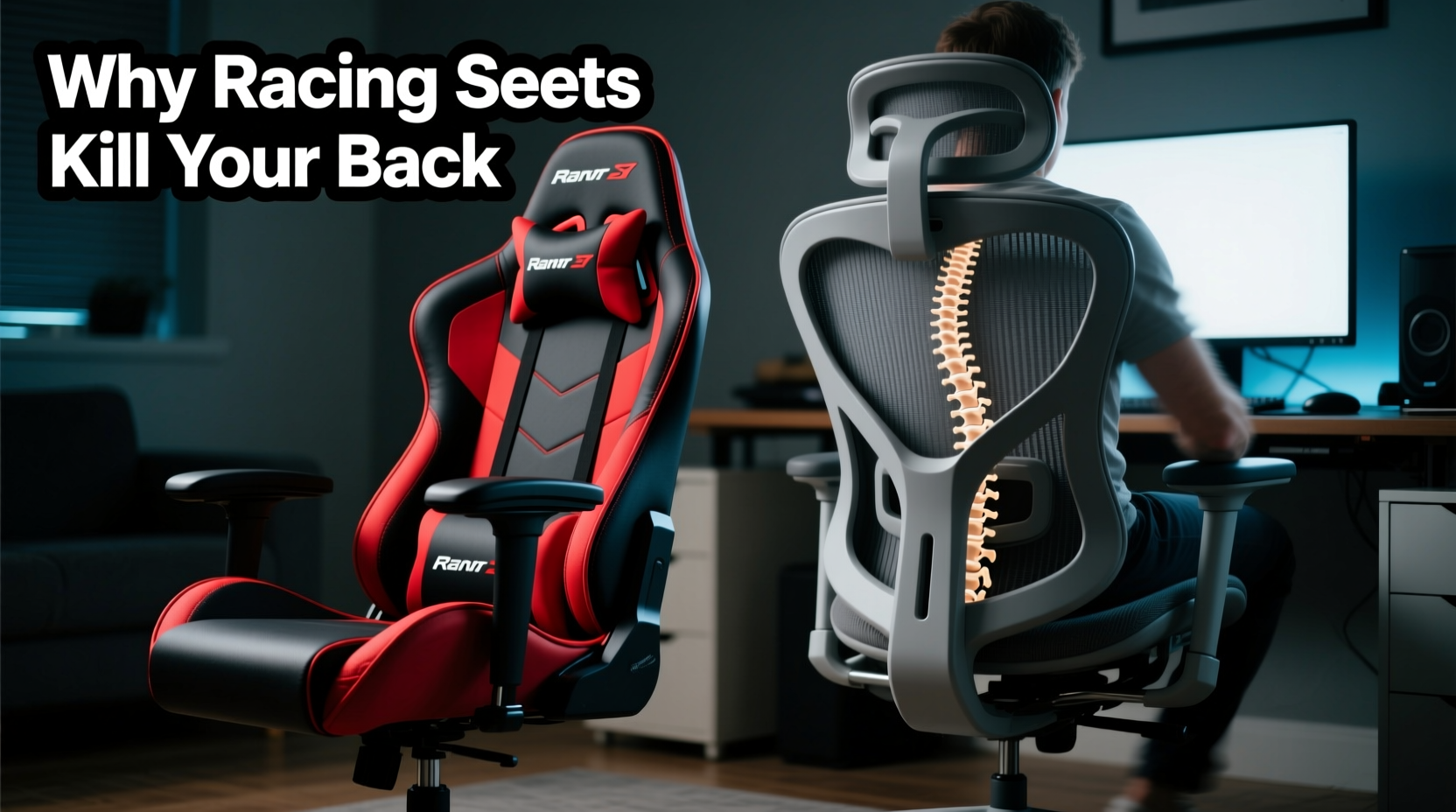
The term “ergonomic” has been diluted by marketing. Many gaming chairs come with adjustable armrests, lumbar pillows, and reclining backs, leading consumers to believe they’re making a healthy choice. But ergonomics isn’t about adjustability alone—it’s about alignment, sustained comfort, and physiological support.
Gaming chairs are modeled after bucket seats found in race cars. These were designed for short bursts of high-speed driving, where lateral support during sharp turns matters more than all-day sitting comfort. Race car drivers rarely sit in one position for more than two hours straight and rely on full-body harnesses, not just seatbacks, for stability. Translating this design to an 8–10 hour workday is biomechanically unsound.
Most gaming chairs force the pelvis into a posterior tilt—the opposite of what a healthy spine needs. This flattens the natural curve of the lower back (the lumbar lordosis), increasing disc pressure and straining the erector spinae muscles. Over time, this leads to fatigue, stiffness, and pain.
Tip: If your lower back feels unsupported or starts aching within 30 minutes of sitting, your chair is likely promoting poor spinal alignment.Anatomy of a Real Ergonomic Office Chair
A true ergonomic office chair is engineered around human physiology, not aesthetics. It supports dynamic sitting—the idea that movement and micro-adjustments are essential for circulation, muscle engagement, and spinal health.
Key features of a medically sound ergonomic chair include:
- Synched mechanism: Links the tilt of the seat pan and backrest so your hips and knees stay aligned during recline.
- Live back or flexible lumbar support: Mimics the spine’s natural curve and moves with you, rather than pressing against one fixed point.
- Seat depth adjustment: Ensures proper thigh support without cutting off circulation behind the knees.
- Adjustable armrests (3D or 4D): Allow arms to rest at shoulder width and elbow height, reducing trapezius strain.
- High backrest with head/neck support: Supports the upper thoracic and cervical spine during reclined tasks.
- Breathable mesh material: Prevents overheating and sweating during long sessions.
Unlike the rigid foam padding of gaming chairs, ergonomic models often use tension-adjustable recline, allowing users to control how much effort it takes to lean back. This encourages active sitting—subtle postural shifts that keep muscles engaged and blood flowing.
“Many patients come in with mid-back and neck pain traced directly to using gaming chairs. The exaggerated lumbar pillow creates artificial curvature, while the stiff backrest restricts natural motion.” — Dr. Lena Torres, Physical Therapist & Spine Specialist
Why Racing Seats Fail for Long-Term Sitting
The core issue with gaming chairs is structural. Their design prioritizes appearance over function. Here’s how specific elements contribute to discomfort and injury:
Fixed, Over-Pronounced Lumbar Pillows
Most gaming chairs include a separate lumbar cushion meant to “support” the lower back. But because it’s not integrated into the chair’s structure, it often sits too high or too far forward, pushing the spine into hyperextension. Real lumbar support should contour to the natural inward curve of the lower spine—not create a new one.
Narrow Seat Pans
Racing-style seats taper toward the front, which can compress the femoral artery and sciatic nerve. For people with wider hips or longer thighs, this causes numbness, tingling, and reduced circulation—symptoms commonly mistaken for unrelated nerve issues.
Stiff, Non-Breathable Materials
Polyurethane leather may look sleek, but it traps heat and moisture. After an hour of sitting, users often shift constantly due to discomfort from sweating—a phenomenon known as “chair creep.” Mesh-backed ergonomic chairs allow airflow, reducing skin irritation and helping maintain focus.
Limited Range of Motion
True ergonomic chairs promote movement. You should be able to pivot, recline slightly, and shift weight naturally. Gaming chairs often lock users into a single rigid posture, encouraging static loading—a major contributor to disc degeneration over time.
Overstated Adjustability
While many gaming chairs boast “5-point adjustability,” most adjustments are superficial. Armrests may move up/down but not forward/backward. Seat height changes don’t compensate for inadequate depth. Recline tension is often non-adjustable, forcing users into either too loose or too stiff a position.
Comparison: Gaming Chair vs True Ergonomic Chair
| Feature | Gaming Chair | Ergonomic Office Chair |
|---|---|---|
| Backrest Design | Fixed, tall, curved (racing bucket) | Flexible, contoured, adaptive to spine |
| Lumbar Support | Detachable pillow (often poorly positioned) | Integrated, dynamic, height-adjustable |
| Seat Pan | Narrow, tapered, firm foam | Adjustable depth, waterfall edge, pressure-relieving |
| Material | PU leather (non-breathable) | Metal frame with breathable mesh |
| Recline Mechanism | Basic tilt, often stiff or wobbly | Synched, tension-controlled, smooth |
| Armrests | 2D adjustment (up/down, maybe swivel) | 3D or 4D (height, width, depth, angle) |
| Durability | Plastic parts, foam degrades in 1–3 years | Commercial-grade components, 7–10+ year lifespan |
| Price Range | $150–$400 (poor value long-term) | $400–$1,200 (investment in health) |
This table highlights a critical truth: gaming chairs offer the illusion of customization without delivering meaningful support. Meanwhile, high-quality ergonomic chairs are built for longevity, adaptability, and actual physiological benefit.
Real-World Example: From Pain to Posture Recovery
Consider Mark, a 29-year-old software developer who switched to remote work in 2021. Eager to create a “pro setup,” he invested $280 in a popular red-black gaming chair with RGB lighting. Within three months, he began experiencing lower back tightness after coding sessions. By month six, the pain radiated into his hips, and he developed frequent headaches.
After visiting a physical therapist, Mark learned his chair was the culprit. The narrow seat compressed his glutes, reducing blood flow. The hard lumbar pillow forced his spine into excessive arching, straining facet joints. His shoulders hunched forward because the armrests couldn’t adjust inward to match his desk width.
He replaced the chair with a used Herman Miller Aeron—costing slightly more—and noticed improvement within a week. After six weeks of consistent use, his back pain diminished, and his energy levels improved. His therapist noted better pelvic alignment and reduced muscle guarding during assessment.
Mark’s story isn’t unique. Thousands of remote workers have made the same mistake: equating visual appeal with functional quality.
How to Choose a Chair That Won’t Harm Your Back
Selecting the right chair requires shifting focus from looks to long-term impact. Follow this checklist when evaluating options:
Checklist: Choosing a Back-Friendly Chair- Ensure the lumbar support aligns with the small of your back—not higher or lower.
- Test seat depth: There should be 1–2 inches between the edge of the seat and the back of your knees.
- Verify armrests can adjust vertically, horizontally, and pivot to keep elbows at 90° without shrugging.
- Look for a synchro-tilt mechanism that maintains hip-knee alignment when reclining.
- Sit in the chair for at least 10 minutes before buying—discomfort should not develop quickly.
- Prioritize breathable materials, especially if you tend to overheat.
- Check warranty: Reputable ergonomic brands offer 7–12 year coverage.
Step-by-Step: Transitioning from Gaming to Ergonomic Seating
If you're currently using a gaming chair and want to protect your spine, follow this transition plan:
- Week 1: Assess Symptoms – Track when back, neck, or shoulder pain occurs. Note duration of sitting and any positional triggers.
- Week 2: Research Alternatives – Focus on chairs with independent reviews from physical therapists or occupational specialists. Top models include Steelcase Leap, Herman Miller Aeron, and Haworth Zody.
- Week 3: Try Before You Buy – Visit office furniture showrooms or rent a demo chair. Many companies offer home trials (e.g., 30-day return policies).
- Week 4: Optimize Setup – Once you have the new chair, adjust it properly: feet flat, knees below hips, screen at eye level, arms relaxed.
- Ongoing: Incorporate Movement – No chair eliminates the need for breaks. Stand every 30–45 minutes, stretch your hip flexors, and walk briefly to reset posture.
Frequently Asked Questions
Can I modify my gaming chair to make it healthier?
You can improve it slightly—replace the lumbar pillow with a rolled towel placed at the beltline, add a seat cushion for thigh support, and ensure your desk height matches—but structural flaws remain. The narrow base and rigid backrest cannot be fully corrected. Upgrading is the best long-term solution.
Are all gaming chairs bad?
Not all, but nearly all consumer-grade ones are. A few premium models (like the Secretlab Titan Evo with enhanced ergo wing) offer better materials and adjustability, but still fall short of medical-grade ergonomic standards. They may be acceptable for mixed-use environments, but shouldn’t be primary seating for full-time work.
Isn’t any chair fine if I take breaks?
Movement helps, but it doesn’t neutralize the effects of poor posture. Imagine wearing ill-fitting shoes all day and saying, “I took breaks to walk barefoot.” Frequent breaks reduce risk, but they don’t eliminate cumulative strain. Supportive seating is the foundation; movement enhances it.
Conclusion: Invest in Your Spine, Not the Aesthetic
The allure of gaming chairs is understandable—they signal passion, youth, and tech-savviness. But when it comes to your body, form must follow function. Racing seats were never meant for eight-hour coding marathons or back-to-back Zoom meetings. Using them as daily drivers risks long-term consequences that no amount of RGB lighting can fix.
Your spine supports everything you do. Choosing a real ergonomic chair isn’t about luxury—it’s about prevention. It’s a commitment to working comfortably, staying productive, and avoiding the kind of chronic pain that sidelines careers and diminishes quality of life.
🚀 Ready to protect your back? Audit your current chair today. If it lacks proper lumbar integration, adjustable depth, or breathable support, start exploring ergonomic alternatives. Your future self will thank you.