Controller drift—when a Joy-Con moves or registers input without being touched—is one of the most frustrating hardware flaws affecting Nintendo Switch players. The issue can turn an enjoyable gaming session into a battle against unresponsive controls. While Nintendo has acknowledged the problem and offers repair services, many users are turning to do-it-yourself (DIY) fixes as a faster, cheaper alternative. But which approach is better? This article breaks down the pros and cons of repairing Joy-Con drift yourself versus sending them to Nintendo, helping you make an informed decision based on cost, reliability, risk, and long-term usability.
Understanding Joy-Con Drift
Drift occurs when the analog stick on a Joy-Con sends incorrect positional data to the console. This often results in characters moving on their own or menus scrolling unexpectedly. The root cause lies in the internal components of the analog stick, particularly the potentiometer—a small sensor that tracks stick position. Over time, dust, debris, or wear from repeated use can degrade this sensor’s accuracy. In some cases, manufacturing defects mean the component fails prematurely.
Nintendo classifies drift as a covered defect under warranty, but only if the Joy-Con shows no signs of physical damage or liquid exposure. Out-of-warranty repairs come with a fee, and shipping times can stretch over several weeks—especially during peak seasons. This delay has driven many owners toward third-party solutions.
Tip: Clean your Joy-Con regularly with a dry microfiber cloth and avoid eating or drinking near your console to minimize debris entering the analog stick.DIY Repair: How It Works and What You’ll Need
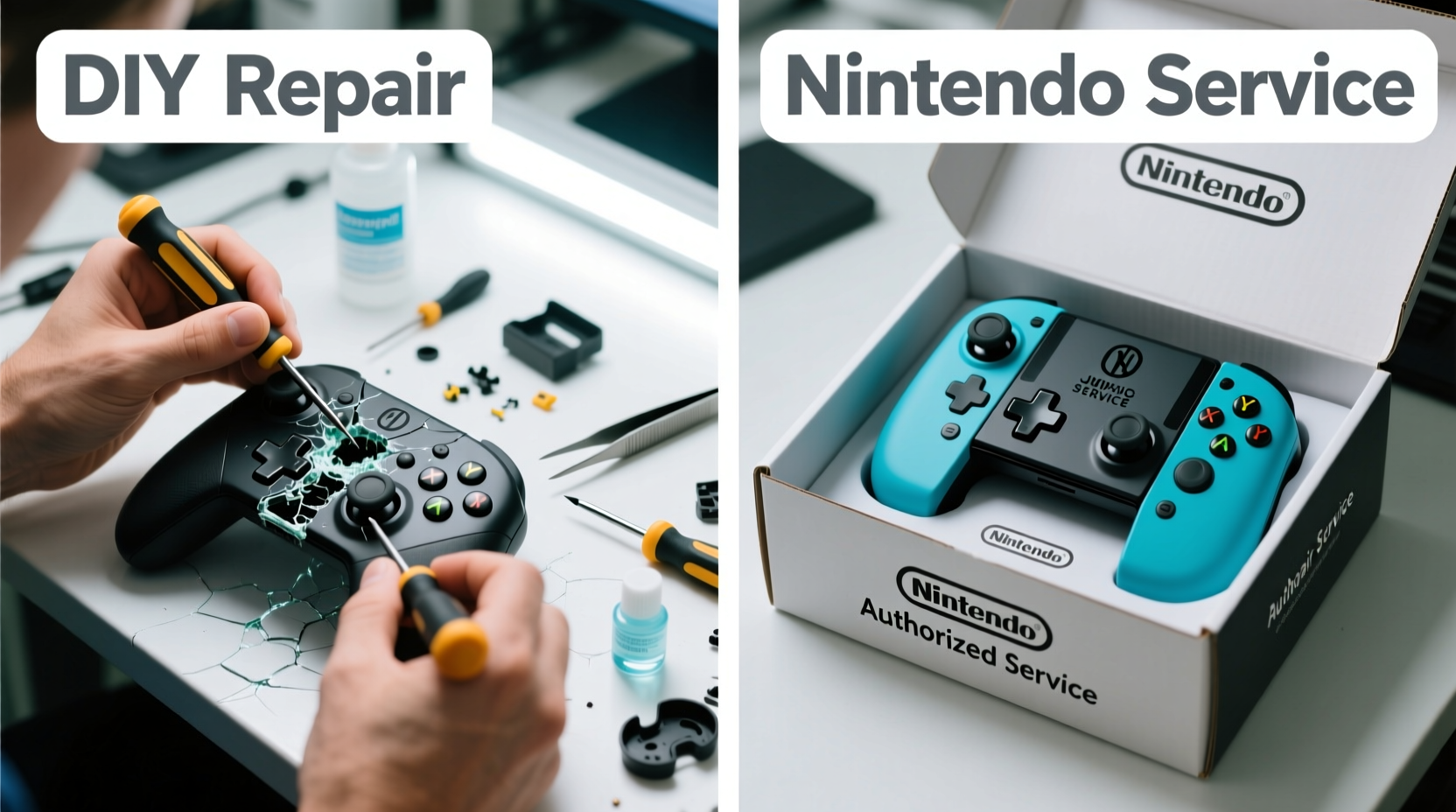
A growing community of gamers and repair enthusiasts have developed reliable DIY methods to fix Joy-Con drift. Most involve disassembling the controller, cleaning or replacing the analog stick module, and reassembling the device. The process requires precision and patience, but it’s entirely feasible with the right tools and guidance.
Basic Tools Required
- Small Phillips screwdriver (#00 size)
- Plastic pry tools or guitar picks
- Isopropyl alcohol (90% or higher)
- Cotton swabs or lint-free wipes
- Replacement analog stick modules (optional, ~$5–$10 per pair)
Step-by-Step Guide to DIY Fix
- Power off and remove the Joy-Con from the Switch. Ensure no charge is running through the device.
- Remove the screws on the back using a precision screwdriver. There are typically five screws, including one hidden under the warranty sticker.
- Gently separate the casing using a plastic tool. Be careful not to damage ribbon cables inside.
- Disconnect the battery ribbon and carefully lift the circuit board to access the analog stick.
- Clean the potentiometer with isopropyl alcohol and a cotton swab. For persistent drift, desolder and replace the entire stick module.
- Reassemble the Joy-Con in reverse order, ensuring all connections are secure.
- Test thoroughly before closing completely. Use a game like The Legend of Zelda: Breath of the Wild to check responsiveness.
Many users report success after cleaning alone, especially if the drift is minor. However, if the internal contacts are worn out, replacement is the only lasting solution. Replacement parts are widely available on platforms like Amazon, eBay, or iFixit, and installation videos are abundant on YouTube.
“Cleaning the analog sensor with high-purity alcohol can restore functionality in up to 60% of early-stage drift cases.” — Kyle Wiens, CEO of iFixit
Sending to Nintendo: Process and Limitations
Nintendo offers free repairs for Joy-Con drift, even outside the standard one-year warranty, due to widespread consumer feedback and regulatory scrutiny. However, the service comes with caveats.
To initiate a repair, visit Nintendo’s official support website, create a repair request, and follow the instructions to print a shipping label. You’ll need to provide proof of purchase if the unit is less than a year old, though drift repairs are often approved regardless. Once shipped, turnaround time averages 2–3 weeks, though delays of up to a month are not uncommon during busy periods.
While convenient, this method has drawbacks. First, you lose access to your controllers during the repair window. Second, Nintendo may replace your Joy-Con with a refurbished unit rather than repairing the original. Some users report receiving older models or units with visible wear. Finally, repaired or replaced Joy-Cons are not immune to future drift—the same design flaw persists.
Tip: Before shipping, take photos of your Joy-Con’s serial number and condition to document its state in case of disputes.DIY vs Nintendo Repair: A Detailed Comparison
| Factor | DIY Repair | Sending to Nintendo |
|---|---|---|
| Cost | $5–$15 (tools + parts) | Free (if drift-related) |
| Time | 1–2 hours (plus drying time) | 2–4 weeks (shipping + processing) |
| Risk Level | Moderate (potential damage if mishandled) | Low (handled by professionals) |
| Success Rate | 70–85% (cleaning), ~95% (replacement) | Near 100% (but recurrence possible) |
| Longevity | Depends on part quality; 6–18 months typical | Varies; refurbished units may fail sooner |
| Warranty Impact | Voided if opened | Preserved or renewed |
The table highlights a key trade-off: DIY saves time and money but voids any remaining warranty. Nintendo’s service is risk-free but slow and may not offer a permanent fix. Your choice depends on urgency, technical confidence, and whether you plan to keep the console long-term.
Real-World Example: A Parent’s Dilemma
Consider Sarah, a parent of two young gamers in Ohio. Her family relies on their Switch for entertainment during long car trips and weekend downtime. When both Joy-Cons began drifting within months of each other, she faced a tough decision. Sending them to Nintendo meant no gaming for nearly three weeks—an unacceptable gap for her kids’ routine. Instead, she watched a tutorial, bought a $12 repair kit, and spent a Saturday afternoon fixing both controllers. The left Joy-Con responded well to cleaning; the right required a new stick. Total cost: $17. Both have worked flawlessly for eight months since.
Sarah’s story reflects a common scenario: functional literacy with tech, limited tolerance for downtime, and budget consciousness. For users like her, DIY isn’t just appealing—it’s practical.
When to Choose DIY—and When to Avoid It
DIY repair makes sense if:
- You’re comfortable handling small electronics.
- You need your controllers back quickly.
- You own multiple Joy-Cons and want to fix several at once.
- You’re open to learning basic soldering for long-term repairs.
Stick with Nintendo if:
- You’re still under warranty and value peace of mind.
- You’re uncomfortable opening electronic devices.
- The Joy-Con has additional damage (cracks, water exposure).
- You prefer manufacturer-backed reliability over short-term savings.
Expert Tips for Long-Term Joy-Con Care
Preventing drift is more effective than fixing it. Experts recommend these habits to extend analog stick life:
Tip: Rotate between multiple Joy-Cons if you own them. This reduces wear on individual sticks and prolongs overall lifespan.“Using grip attachments instead of holding bare Joy-Cons reduces sweat and oil transfer, which accelerates contact degradation.” — Michael Chen, Electronics Technician & Repair Blogger
- Use protective caps: Silicone stick covers reduce direct contact and block debris.
- Avoid extreme angles: Don’t push the stick fully to the edge for extended periods during gameplay.
- Store upright: Keep Joy-Cons in a stand or case where sticks aren’t pressed down.
- Limit play sessions: Give controllers rest time to cool and reset internal sensors.
Frequently Asked Questions
Can I clean the analog stick without opening the Joy-Con?
No effective external cleaning method exists. Compressed air might dislodge surface dust but won’t reach the potentiometer. Opening the unit is necessary for a real fix.
Will Nintendo refuse my repair if I’ve attempted DIY fixes?
If you’ve opened the Joy-Con, Nintendo will likely deny service, especially if there’s visible damage. They can detect tampering through missing or broken warranty stickers. If you attempt DIY and fail, your only options are third-party repair shops or buying new controllers.
Are third-party analog sticks as good as OEM ones?
Quality varies. Reputable brands like Gamertize or ELUTENG offer sticks designed to match original specifications. Cheaper alternatives may wear out faster or feel less responsive. Read reviews and opt for kits that include soldering pads for easier installation.
Final Recommendation: Balance Risk and Reward
For most users, a hybrid approach works best. If your Joy-Con is under warranty and drift is mild, start with Nintendo’s free service. If you’re out of warranty, facing recurring drift, or need immediate resolution, DIY repair offers a cost-effective, empowering solution. With proper tools and care, a successful fix can extend your Joy-Con’s life by over a year.
Ultimately, the choice reflects your relationship with technology. Do you see your devices as sealed black boxes, or as tools you can understand and maintain? The rise of the right-to-repair movement underscores a shift toward ownership and sustainability. Fixing your Joy-Con isn’t just about saving money—it’s about taking control of your gear and reducing electronic waste.
💬 Have you fixed Joy-Con drift yourself? Share your experience, tips, or lessons learned in the comments below—your insight could help another gamer get back in the game!