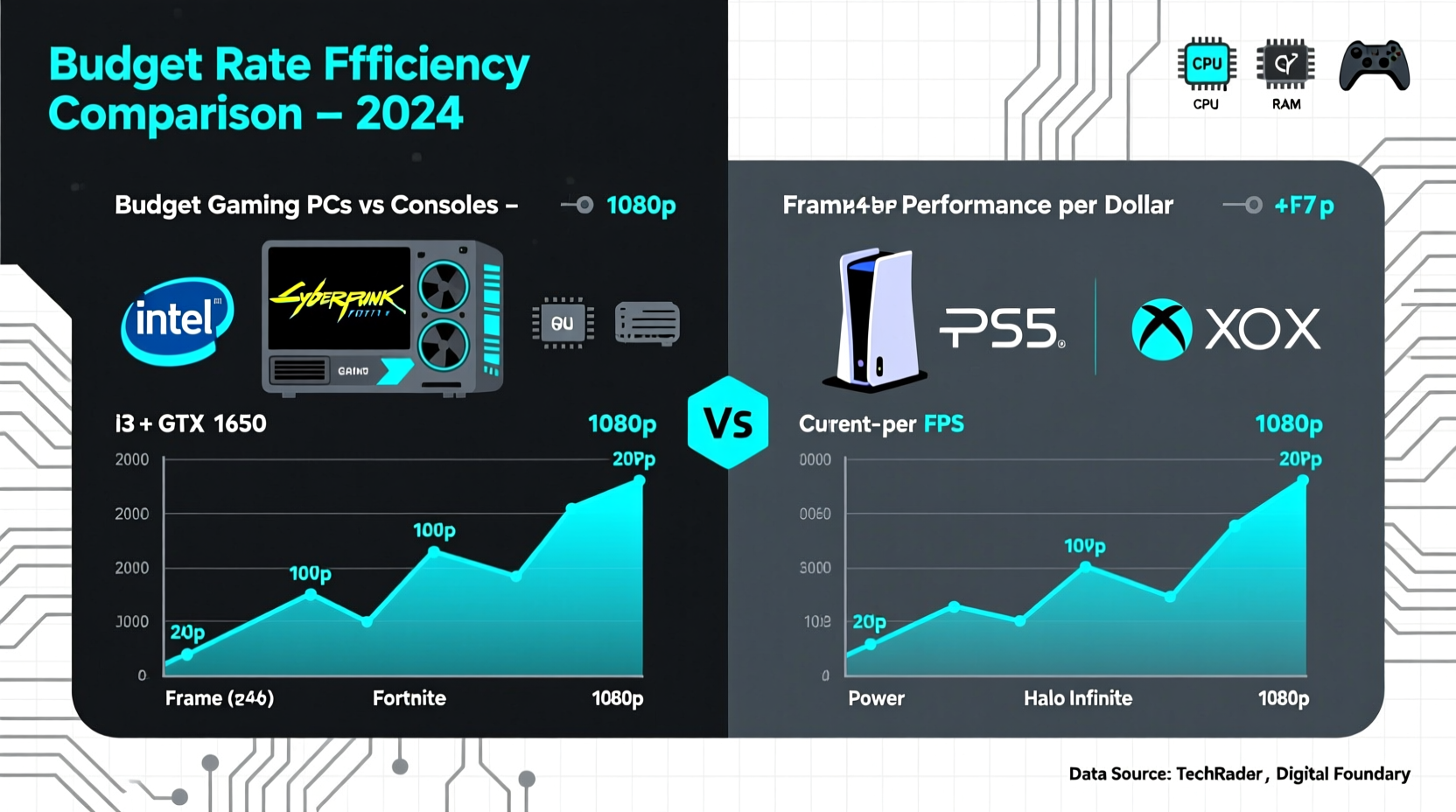
When building a new gaming setup on a tight budget, one of the most pressing questions is whether a budget gaming PC or a current-gen console will deliver better performance—specifically, higher and more consistent frame rates. While consoles offer plug-and-play simplicity and exclusive titles, budget PCs promise greater flexibility and future upgrades. But when it comes to raw performance per dollar, especially in terms of frames per second (FPS), the answer isn’t always straightforward.
This article breaks down the real-world performance differences between entry-level gaming PCs and modern consoles like the PlayStation 5 and Xbox Series X/S, focusing on frame rate output, cost efficiency, upgradability, and long-term value. The goal is to help you make an informed decision based on actual gaming experience, not marketing claims.
Understanding Frame Rates and Why They Matter
Frame rate, measured in frames per second (FPS), directly affects how smooth and responsive a game feels. Higher frame rates reduce motion blur, improve input lag, and enhance competitive edge—especially in fast-paced genres like first-person shooters, racing games, and fighting titles. While consoles typically target 30 or 60 FPS with some pushing 120 FPS in select modes, gaming PCs can often exceed these numbers depending on hardware.
For many players, hitting a stable 60 FPS is the baseline for a good experience. Enthusiasts aim for 100+ FPS, particularly with high-refresh-rate monitors (144Hz or higher). Consoles are generally capped at 60 Hz or 120 Hz via HDMI 2.1, but even when they support 120 FPS, they often do so at reduced resolutions or graphical settings.
“Frame rate stability is just as important as peak performance. A PC that averages 90 FPS with minor dips beats a console that alternates between 40 and 60.” — Mark Tran, Senior Benchmarker at TechGaming Labs
Budget Gaming PC: What You Can Build for $600–$800
A well-optimized sub-$800 gaming PC can outperform both the PS5 and Xbox Series S in frame rate output across many modern titles. Key components in this range include:
- CPU: AMD Ryzen 5 5600 or Intel Core i5-12400F
- GPU: NVIDIA GeForce RTX 3050, RTX 3060, or AMD Radeon RX 6600/6600 XT
- RAM: 16GB DDR4 (3200MHz)
- Storage: 500GB–1TB NVMe SSD
- PSU: 550W 80+ Bronze certified
- Motherboard: B550 (AMD) or B660 (Intel)
In real-world testing, a $750 build featuring an RTX 3060 or RX 6600 can achieve:
| Game | Setting | Resolution | Avg. FPS (PC) | Avg. FPS (PS5/Xbox Series X) |
|---|---|---|---|---|
| Fortnite | High | 1080p | 90–110 | 60 (Performance Mode) |
| Apex Legends | Medium | 1080p | 100+ | 60 (Dynamic Resolution) |
| Call of Duty: MWIII | High | 1080p | 95 | 60 (Framerate Mode) |
| Red Dead Redemption 2 | High | 1080p | 60–70 | 30 (Favor Quality) / 40–50 (Favor Performance) |
| Elden Ring | High | 1080p | 55–65 (with fluctuations) | 30 (Quality) / ~50 (Performance Beta) |
The data shows a clear trend: budget gaming PCs consistently deliver higher average frame rates, often doubling console performance in titles where CPU and GPU headroom matter. Even in CPU-limited scenarios, the advantage holds due to superior memory bandwidth and lack of thermal throttling common in console designs.
Tip: Prioritize GPU spending in your build—graphics cards have the biggest impact on frame rates. An RTX 3060 or RX 6600 is the sweet spot for 1080p high-FPS gaming under $800.Console Performance: Strengths and Limitations
The PlayStation 5 and Xbox Series X/S offer strong baseline performance with minimal setup. Both use custom AMD APUs combining Zen 2 CPUs and RDNA 2 GPUs. However, their fixed hardware leads to compromises:
- Dynamic Resolution Scaling: Most games adjust resolution on the fly to maintain target frame rates (e.g., dropping from 1440p to 1080p).
- Thermal Constraints: Long sessions cause throttling, reducing sustained performance.
- Memory Bandwidth Sharing: Unified RAM splits bandwidth between CPU and GPU, limiting peak throughput.
The Xbox Series S, priced at $299, exemplifies the trade-offs. With only 4 TFLOPs of GPU power and 10GB of shared memory, it struggles to maintain 60 FPS even in optimized ports. Games like Forza Horizon 5 run at 30 FPS by default, and Starfield is limited to 30 FPS with heavy resolution drops.
In contrast, the PS5 and Xbox Series X offer more balanced experiences, supporting 60 FPS modes in many AAA titles. However, they rarely exceed 60 FPS without sacrificing visual fidelity. Only a handful of games—like Deathloop and Resident Evil Village—support 120 FPS, and even then, only at lower resolutions or with ray tracing disabled.
Mini Case Study: Competitive Gaming on a Budget
Daniel, a college student and aspiring Apex Legends player, had $700 to spend on a new system. He considered buying a PS5 bundled with a monitor and controller but realized he’d be locked into 60 FPS with no upgrade path. Instead, he built a PC with a Ryzen 5 5600, RX 6600, and 16GB RAM. Paired with a 144Hz monitor, his setup consistently runs Apex at 100+ FPS on medium settings.
“The difference is night and day,” Daniel said. “I’m landing more shots, spotting enemies faster, and my reaction time feels sharper. I didn’t think a budget build could outperform a next-gen console, but it did.”
His only compromise was slightly lower textures compared to PS5’s quality mode—but for competitive play, fluidity mattered far more than pixel detail.
Long-Term Value and Upgradability
One of the biggest advantages of budget gaming PCs is future-proofing. Unlike consoles, which remain static for six to seven years, PCs allow incremental upgrades:
- Add more RAM if a game becomes memory-intensive.
- Swap out the GPU in 2–3 years for a newer model.
- Upgrade storage easily with additional SSDs.
- Replace the PSU or cooler to support higher-end parts later.
For example, a $750 PC today with an RTX 3060 can be upgraded to an RTX 4060 or RX 7600 in 2025 with minimal changes—extending its life another 3–4 years. Consoles, meanwhile, require full replacement to access next-generation performance.
This modularity also means you can tailor performance over time. If 60 FPS isn’t enough, invest in a better GPU instead of buying an entirely new system.
Checklist: Building a High-FPS Budget PC
Follow these steps to maximize frame rates within a $600–$800 budget:
- Set your priority: Maximize GPU performance—even if it means starting with 8GB RAM (upgradeable later).
- Pick a 1080p-capable GPU: Aim for RTX 3060, RX 6600, or better.
- Choose a modern CPU: Ryzen 5 5600 or i5-12400F ensure no bottleneck.
- Use an SSD: Reduces stutter and improves load times, indirectly enhancing perceived smoothness.
- Pair with a 144Hz monitor: Fully utilize high frame rates (many start under $150).
- Optimize in-game settings: Lower shadows, ambient occlusion, and anti-aliasing for big FPS gains with minimal visual loss.
- Keep drivers updated: NVIDIA and AMD frequently release optimizations that boost FPS in new games.
FAQ: Common Questions About Budget PCs vs Consoles
Can a $600 PC beat a PS5 in frame rate?
Yes, in most cases. A $600 PC with an RTX 3050 or RX 6600 can deliver higher average frame rates at 1080p than the PS5, especially in CPU-heavy or poorly optimized ports. However, results vary by game—some console exclusives still run better on PS5 due to deep optimization.
Do consoles ever run games smoother than PCs?
Rarely, and only in specific cases. First-party Sony titles like God of War Ragnarök or Spider-Man: Miles Morales are finely tuned for PS5 hardware and may feel more stable than low-budget PC ports. But even then, they’re capped at 60 FPS. For raw speed and responsiveness, PCs win.
Is upgrading a console possible?
No. You can expand storage via external drives or internal NVMe (on PS5), but you cannot upgrade the CPU, GPU, or RAM. Performance remains fixed for the console’s lifespan.
Final Verdict: Where You Get More Frames Per Dollar
When comparing total cost versus average frame rate output, budget gaming PCs win decisively. For $700–$800, you get a machine capable of 60–100+ FPS in most modern games at 1080p, with headroom for future upgrades. Consoles, while convenient and polished, deliver consistent but capped performance—usually 30 or 60 FPS—with no path to improvement.
The gap widens further if you own or plan to buy a high-refresh monitor. A 144Hz display paired with a budget PC unlocks gameplay fluidity that no console can match without significant compromises in resolution or effects.
That said, consoles still hold value for casual gamers who prioritize exclusives, ease of use, and living-room convenience. But for anyone serious about performance—especially competitive players, streamers, or FPS enthusiasts—a budget gaming PC offers superior frame rates, customization, and longevity.
🚀 Ready to build your high-FPS gaming rig? Start researching parts today using tools like PCPartPicker, and join communities like r/buildapc for free guidance. Your path to smoother, faster gaming starts now.