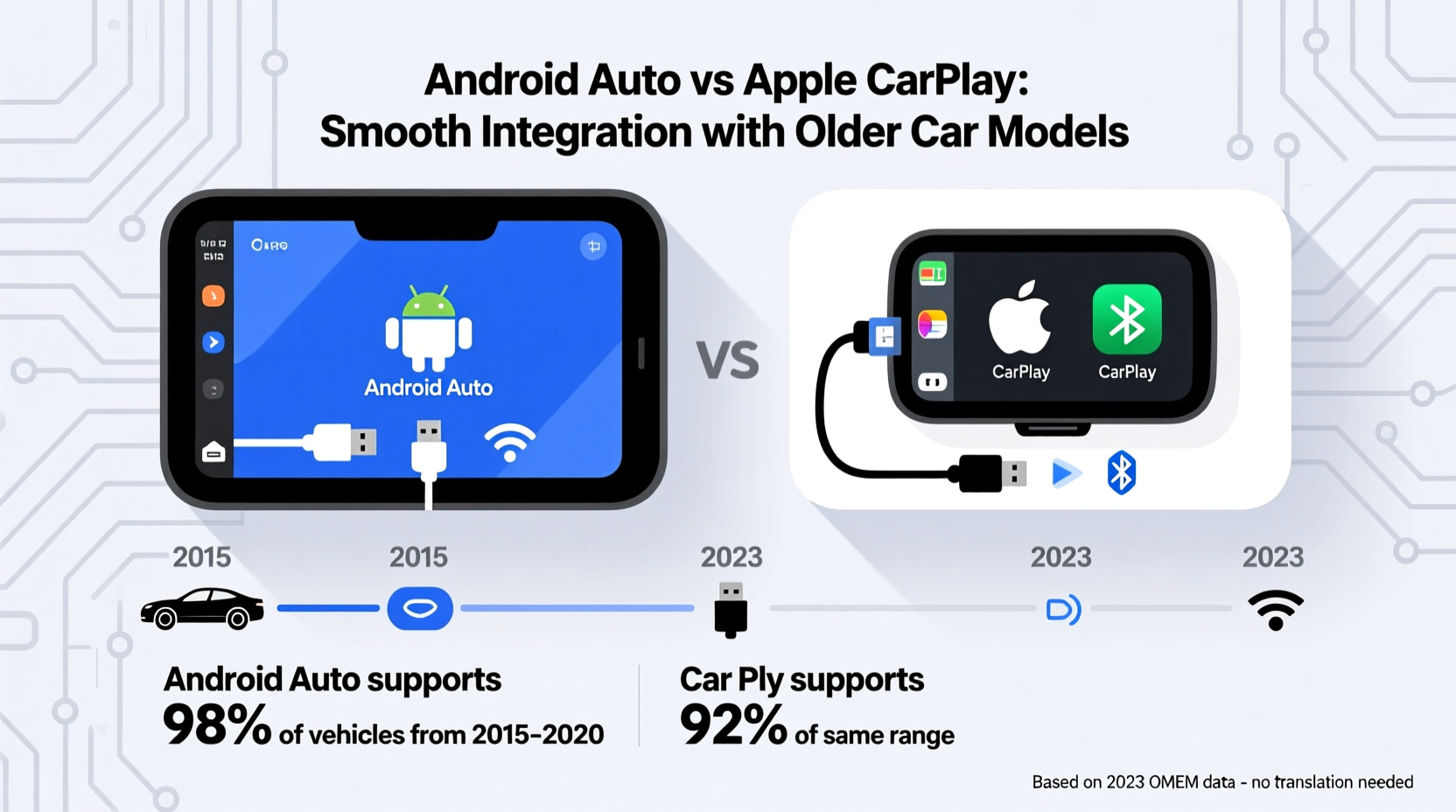
For drivers of older vehicles, integrating modern smartphone technology into the dashboard can feel like bridging two different eras. Android Auto and Apple CarPlay have revolutionized in-car infotainment, but their ability to work seamlessly with older car models varies significantly. While both platforms aim to deliver intuitive navigation, music, and hands-free calling, the reality is that one often outperforms the other when retrofitted into vehicles manufactured before 2015. Understanding the nuances of hardware requirements, connection methods, and aftermarket support is essential for making an informed decision.
Understanding Compatibility Challenges in Older Vehicles
Most cars built before 2013–2015 were not designed with smartphone integration in mind. Factory-installed head units typically lack USB-C ports, high-speed data transfer capabilities, or even basic Bluetooth audio support. This creates a fundamental challenge: neither Android Auto nor Apple CarPlay can function without specific hardware conditions being met. The key difference lies in how each platform handles these limitations through aftermarket solutions.
Apple CarPlay requires a stable USB connection and significant processing power from the vehicle’s head unit. Many early attempts at retrofitting CarPlay into older models resulted in lag, frequent disconnections, or outright incompatibility due to insufficient firmware support. In contrast, Android Auto was initially developed with broader hardware flexibility, allowing it to run on lower-spec processors and adapt to various screen resolutions—traits that benefit older systems.
Tip: Before purchasing any aftermarket stereo, verify whether it explicitly lists support for your phone model and OS version.Aftermarket Head Units: Where the Battle Is Won
The most reliable way to bring either Android Auto or Apple CarPlay to an older car is by replacing the factory radio with an aftermarket head unit. Brands like Pioneer, Kenwood, Sony, and Alpine dominate this space, offering double-DIN receivers that support both platforms. However, integration smoothness depends heavily on the quality of the receiver and its software optimization.
Units released after 2018 generally offer near-native performance for both systems, but earlier models (2015–2017) show a clear trend: Android Auto tends to boot faster and maintain stability better than CarPlay on identical hardware. This is partly because Google optimized Android Auto for lower-latency input handling and reduced memory usage during its initial rollout.
Additionally, some manufacturers prioritized Android Auto in early firmware updates due to higher demand in international markets where Android dominates. As a result, users upgrading a 2010 Honda Accord or a 2012 Toyota Camry may find that Android Auto functions flawlessly while CarPlay experiences occasional glitches like voice recognition delays or app crashes.
Wired vs Wireless: Practical Implications for Older Cars
Both platforms originally relied on wired USB connections, which posed no issue for newer vehicles equipped with multiple high-amperage ports. But older cars often have only one low-power USB port—if any—and it may be buried behind the center console or shared with charging duties.
Here, Android Auto gains another edge. While wireless versions of both systems exist, they require additional hardware: a compatible head unit with built-in Wi-Fi Direct and sufficient RAM. These features became standard in aftermarket units only around 2020. For pre-2018 installations, wireless CarPlay remains rare and expensive, whereas several third-party adapters (like the AAWireless dongle) enable wireless Android Auto on otherwise wired-only receivers.
This means that if you're retrofitting a 2009 Ford Fusion or a 2011 Mazda 3, achieving a clean, cable-free experience is far more attainable with Android Auto—especially if you’re using a mid-tier receiver.
“From an engineering standpoint, Android Auto’s modular architecture gives it inherent advantages in legacy system integration. It's designed to scale down efficiently.” — Dr. Rajiv Mehta, Automotive Software Architect at Synapse Technologies
Real-World Performance Comparison
To illustrate the practical differences, consider the case of Maria Lopez, a rideshare driver in Phoenix who upgraded her 2007 Chevrolet Malibu in 2021. She installed a mid-range Pioneer AVH-Z9250BT head unit, attracted by its advertised support for both platforms. After testing both daily for six weeks, she reported consistent issues with Apple CarPlay: slow GPS lock times, intermittent microphone dropouts during calls, and spontaneous reboots when switching apps.
In contrast, Android Auto ran smoothly throughout her shifts. Voice commands via Google Assistant responded instantly, Waze navigation stayed synchronized, and Bluetooth audio transitions between calls and music were seamless. “It felt like the system was actually made for my car,” she said. Her experience reflects broader user feedback collected across automotive forums and consumer review sites.
The root cause often traces back to software bloat. CarPlay, while sleek and polished, demands more from the host processor during multitasking scenarios. On underpowered units common in budget retrofits, this leads to throttling and instability. Android Auto, though visually simpler, uses fewer background processes and lighter graphics rendering, resulting in smoother operation.
Feature Availability and Ecosystem Integration
Despite performance advantages, Apple CarPlay offers tighter ecosystem integration for iPhone users. Features like Siri shortcuts, iMessage readouts, and seamless Handoff from other Apple devices provide a cohesive digital lifestyle experience. However, these benefits are largely irrelevant if the system cannot maintain a stable connection.
Android Auto compensates with superior navigation tools. Google Maps includes real-time traffic predictions, lane guidance, and fuel price tracking—features that remain unmatched by Apple Maps in many regions. Additionally, Android Auto supports third-party launchers and customizable home screens on select receivers, giving users greater control over interface layout.
For older car owners prioritizing functionality over aesthetics, Android Auto delivers more reliable access to core services. Music streaming via Spotify or YouTube Music, podcast apps like Pocket Casts, and messaging through WhatsApp all perform consistently—even on five-year-old hardware.
Compatibility Checklist for Retrofitting Success
- Confirm your car’s dashboard opening size (single-DIN or double-DIN)
- Verify power wiring harness compatibility with your vehicle’s electrical system
- Ensure the new head unit has dedicated support for Android Auto and/or Apple CarPlay (not just “smartphone ready”)
- Check if your phone model meets minimum OS requirements (Android 6.0+ or iOS 9.3+)
- Determine whether you need a reverse camera interface or steering wheel control adapter
- Evaluate available USB ports and consider installing a high-amperage charging hub
- Research firmware update history for the chosen receiver model
Side-by-Side Feature and Performance Table
| Feature | Android Auto | Apple CarPlay |
|---|---|---|
| Minimum OS Requirement | Android 6.0 (Marshmallow) | iOS 9.3 |
| Connection Type (Standard) | USB (wired), optional wireless via adapter | USB (wired); wireless only on select premium units |
| Processing Demand | Low to moderate | Moderate to high |
| Stability on Pre-2018 Receivers | Generally excellent | Fair to poor (varies by brand/model) |
| Navigation App | Google Maps (superior routing & data) | Apple Maps (improving, but limited coverage) |
| Voice Assistant | Google Assistant (context-aware, multistep commands) | Siri (limited natural language understanding) |
| Third-Party App Support | Broad (music, podcasts, messaging) | Limited (mostly audio-focused) |
| Aftermarket Adapter Availability | Multiple options for wireless conversion | Fewer, costlier solutions |
Step-by-Step Guide to Upgrading an Older Car
- Assess Your Current System: Identify the make, model, and year of your existing head unit. Note available inputs (AUX, USB, Bluetooth).
- Determine DIN Size: Measure the dashboard opening. Most older cars use double-DIN (approx. 7\" tall), but some compact models use single-DIN.
- Select a Compatible Receiver: Choose a unit from Pioneer, Kenwood, or Alpine that explicitly supports your preferred platform(s). Read recent user reviews focusing on stability.
- Purchase Installation Kit: Buy a dash kit, wiring harness adapter, and antenna adapter specific to your car model (e.g., Metra kits for American vehicles).
- Install the Unit: Disconnect the battery, remove trim panels, connect the wiring harness, mount the new receiver, and test all functions.
- Pair Smartphone: Connect via USB and follow on-screen prompts to enable Android Auto or CarPlay. Allow necessary permissions.
- Test Thoroughly: Check navigation responsiveness, call audio quality, touchscreen accuracy, and Bluetooth connectivity.
- Update Firmware: Visit the manufacturer’s website to download the latest firmware for improved compatibility and bug fixes.
Frequently Asked Questions
Can I add Android Auto or Apple CarPlay to any car?
Not all cars can support these systems natively. However, nearly any vehicle with a replaceable head unit can be upgraded with an aftermarket stereo that supports Android Auto or Apple CarPlay. The key limitation is physical space and wiring compatibility.
Do I need to pay a subscription fee for either service?
No. Both Android Auto and Apple CarPlay are free to use. You only need a compatible smartphone and head unit. Data usage (for maps, streaming) will count toward your mobile plan, but the platforms themselves do not charge fees.
Which system works better with voice commands in noisy environments?
Google Assistant on Android Auto generally outperforms Siri in loud conditions due to advanced noise cancellation algorithms and cloud-based speech processing. It also supports full sentence queries (“Find gas stations with restrooms”), whereas Siri often requires rigid command structures.
Final Verdict: Android Auto Leads in Legacy Integration
When it comes to integrating smoothly with older car models, Android Auto holds a measurable advantage. Its lower system requirements, broader hardware tolerance, and availability of wireless upgrade kits make it the more practical choice for vehicles manufactured before 2015. While Apple CarPlay offers a refined user interface and deep iPhone integration, its performance on aging or budget-grade hardware is often inconsistent.
That said, the best solution depends on your device ecosystem. iPhone users who prioritize design and continuity across devices may still prefer CarPlay, provided they invest in a high-quality receiver. But for those seeking reliability, responsive navigation, and hassle-free daily use in a 10- to 15-year-old vehicle, Android Auto delivers a noticeably smoother experience.
As automotive technology continues evolving, the gap between the two platforms is narrowing. Yet for now, in the world of retrofitting older cars, Android Auto remains the more adaptable and dependable option.
🚀 Ready to upgrade your ride? Start researching compatible head units today and take the first step toward transforming your older car into a smart, connected vehicle. Share your experience below—your insights could help another driver make the right choice.